Units per Labor Hour Calculator
Measure how productively your workforce converts labor time into finished output. Enter units produced and labor hours to get your productivity rate — and see how it compares against targets, past performance, and industry benchmarks.
Free Tool · Labor Productivity · Output Rate · Workforce EfficiencyTotal good units completed in the measurement period. Use good output only — exclude scrap and rework to get a true productivity picture.
Total paid labor hours in the period — all operators contributing to this output. Example: 5 operators × 8 hrs = 40 labor hours.
Your standard or engineered rate — how many units per labor hour this operation should achieve. Used to calculate performance gap.
Last week's, last month's, or last shift's rate. Enables trend comparison to show whether productivity is improving.
Used to calculate labor cost per unit. Enter the fully burdened rate (base wage + benefits + taxes). Leave at 0 to skip.
Number of working days per week at this operation. Combined with the rate above to project weekly and annual output capacity.
Standard shift length for one operator. Used with days/week to project weekly and annual capacity.
Number of operators on this line or cell during normal operation. Used to project total team capacity.
Enter production data
then hit Calculate
Units per Labor Hour — The Fundamental Productivity Metric
Units per labor hour (UPLH) is the most direct measure of manufacturing labor productivity. It answers the simple question: for every hour we pay an operator, how many finished units do we get? A rising UPLH means you are getting more output from the same labor investment. A falling UPLH means cost per unit is rising — even if no wages have changed.
Labor Cost per Unit = Burdened Wage Rate ÷ Units per Labor Hour
Performance vs. Target (%) = (Actual Rate ÷ Target Rate) × 100
Weekly Output Capacity = UPLH × Hours per Shift × Operators × Days per Week
Annual Output Capacity = Weekly Output × 52 weeks
🟢 What Drives UPLH Up
Reduced cycle time per unit, better workplace organization (5S), elimination of motion waste (reaching, walking, searching), smaller batch changeovers that keep operators in rhythm, cross-training so operators can cover bottlenecks, and clear work instructions that eliminate decision-making delays.
🔵 What Drives UPLH Down
Material shortages causing operators to wait, machine downtime, excessive rework and inspection loops, poor layout requiring long travel between stations, absenteeism and untrained substitutes, quality holds that pause the line, and unclear priorities that cause frequent job switching.
🟡 Good Units vs. Total Units
Always measure UPLH using good units — parts that passed quality inspection and are saleable. Including scrap and rework inflates your apparent productivity rate. If your line produces 100 units but 15 fail inspection, your true UPLH should be based on 85 units. Measuring good output only keeps quality improvement tied to productivity improvement.
🟣 UPLH vs. Labor Efficiency
UPLH is an absolute productivity rate — units per hour regardless of what the standard says. Labor efficiency is a relative metric — how your actual rate compares to the standard rate, expressed as a percentage. Both are useful: UPLH tracks absolute output, while efficiency tells you how close you are to your engineered potential. Together they give you the complete picture.
A single UPLH reading tells you where you are. A trend tells you where you're going. Track UPLH per shift, per week, and per operator on a visible display on the shop floor. When operators can see their own productivity number update in real time or shift-by-shift, output consistently improves — this is the Hawthorne Effect in practice. The goal is not to create pressure, but to make performance visible so that problems surface quickly and improvement efforts can be validated with data.
3 Worked Examples
2 operators, 8-hour shift | Total labor hours = 16 hrs | Good units produced = 272
UPLH = 272 ÷ 16 = 17.0 units/labor hour
Target: 20 units/hr → Performance: 85% | Burdened rate $30/hr
Labor cost per unit = $30 ÷ 17.0 = $1.76/unit vs. target $1.50/unit
6 operators × 5 days × 8 hrs = 240 total labor hours | Good assemblies = 2,880
UPLH = 2,880 ÷ 240 = 12.0 units/labor hour
Previous week: 10.5 units/hr → Improvement: +14.3% | Target: 13.0 units/hr (92.3%)
At $26/hr burdened: Labor cost = $2.17/assembly
1 operator, 4-hour audit window | Good parts = 620
UPLH = 620 ÷ 4 = 155.0 units/labor hour
Target: 160 units/hr → Performance: 96.9% — excellent | Burdened rate $24/hr
Labor cost per part = $24 ÷ 155.0 = $0.155/part
Typical UPLH Ranges by Process
| Process / Operation | Typical UPLH Range | Key Productivity Drivers | Performance Signal |
|---|---|---|---|
| CNC Machining (1 op, 1 machine) | 8 – 30 units/hr | Cycle time, setup frequency, tool life | Measure per shift |
| Injection Molding (1 op, 1 machine) | 60 – 300 units/hr | Mold cavity count, cycle time, reject rate | Measure per shift |
| Manual Assembly (simple) | 15 – 60 units/hr | Work instruction clarity, part presentation, layout | Measure per operator |
| Manual Assembly (complex) | 4 – 18 units/hr | Training level, BOM accuracy, ergonomics | Measure per operator |
| Welding / Fabrication | 3 – 15 units/hr | Fixture quality, weld program standardization | Measure per shift |
| Press Brake / Stamping | 20 – 120 units/hr | Die setup time, feed automation, part complexity | Measure per shift |
| Packaging / Kitting (manual) | 40 – 200 units/hr | Pick sequence, ergonomic layout, SKU count | Measure per hour |
Frequently Asked Questions
It depends on what you want to measure — and being consistent is more important than which method you choose.
Direct production hours only: Exclude setup time, downtime, breaks, and material handling. This gives you the pure pace rate — how fast the operation runs when it is running. Useful for evaluating operator speed against cycle time standards.
All paid hours (recommended for costing): Include setup, brief downtime, breaks paid on the clock, and any support time the operator performs. This gives you the effective productivity rate — the rate that actually drives your labor cost per unit. If you pay 8 hours per shift but productive time is only 6.5 hours, the effective UPLH is based on all 8 hours.
For quoting and cost control, always use all paid hours — this is the number that matches your payroll. For process improvement and bottleneck analysis, also track the direct-time rate so you can separate operator speed from availability issues.
Cycle time and UPLH measure the same underlying performance from opposite directions — one is the inverse of the other.
- Cycle time = minutes (or seconds) per unit. Lower is better. Example: 3.5 minutes/unit.
- UPLH = units per hour. Higher is better. Example: 60 ÷ 3.5 = 17.1 units/hr.
You can convert between them instantly: UPLH = 60 ÷ Cycle Time (minutes). Cycle Time = 60 ÷ UPLH.
In practice, cycle time is more useful for machine-paced operations (CNC, molding) where you are focused on the time per individual part. UPLH is more useful for labor-paced operations (assembly, kitting) where multiple parts are being handled simultaneously, or when you want to express productivity as a team output rate rather than per-unit time.
A good UPLH target reflects what a trained operator working at a normal, sustainable pace can consistently achieve — not the best run ever recorded, and not a floor that underperforms accept. Here are the main methods:
- Time study: Observe a qualified operator performing the task at a normal pace. Time multiple cycles. Apply a rating factor (most industrial engineers use 90–110% of observed time to normalize pace). Add an allowance of 10–15% for fatigue and minor delays. Convert to units per hour.
- Historical best practice: Look at your last 90 days of daily production data. Identify the rate your best-performing shifts consistently hit — not your single best day. This is your practical attainable rate and works well as an initial target.
- Engineered standard: Build the rate from the bill of materials and work instructions — add up the standard time for each work element, apply allowances, and derive the expected rate. This is the most accurate but most labor-intensive method.
Start with a target your team can realistically reach within one to two months of focused effort. A target that feels permanently out of reach loses its motivating power. Revise upward as performance improves.
Directly comparing raw UPLH numbers across different products or operations is usually misleading, because the complexity of each unit is different. An assembly line producing simple 3-component kits will have a much higher UPLH than one building 40-component electronic assemblies — but that does not mean the first line is more efficient in any meaningful sense.
There are two better approaches for cross-operation comparison:
- Performance vs. target (%): Express each operation's UPLH as a percentage of its own standard rate. Now you can compare: Operation A at 92% of standard vs. Operation B at 78% of standard — a meaningful comparison regardless of the absolute unit count.
- Earned hours or standard hours: Multiply units produced by the standard time per unit. This converts output into "equivalent hours of work" that can be compared across products. This is the basis of many factory performance management systems.
Within a single product or operation over time, raw UPLH is a perfect trend metric — use it freely to track week-over-week improvement.
Improving UPLH without adding people means either increasing output for the same hours, or reducing hours for the same output. The highest-impact levers in order of typical return:
- Reduce downtime and machine stops: Every hour a machine is down is an hour of zero output on the labor clock. Preventing one breakdown can add more to UPLH than weeks of operator coaching.
- Improve material flow and parts presentation: Parts that are pre-staged, kitted, and delivered exactly where the operator needs them eliminate walking, searching, and reaching — which in lean terminology is pure waste. A well-organized workstation can improve UPLH by 10–20% with no process change.
- Standardize work and write clear work instructions: Operators who follow a defined sequence of work elements at a defined pace are significantly more consistent than those improvising the method. Visual work instructions reduce decision-making time and training time for new operators.
- Cross-train and balance the line: Bottleneck stations limit the entire line's output. Cross-training allows operators to flex to bottlenecks, and line balancing redesigns the work distribution to eliminate those constraints.
- Make performance visible in real time: A simple tally board or digital display showing units produced vs. target at the end of every hour consistently drives output improvement. Teams naturally respond to visible goals.
- Reduce quality defects and rework: Every rework cycle consumes labor hours without adding to the good unit count. Improving first-pass yield directly increases UPLH for the same labor input.
Top Picks for CNC Router Tooling
Professional-grade carbide tools ready to ship. Click any product to view details and pricing.
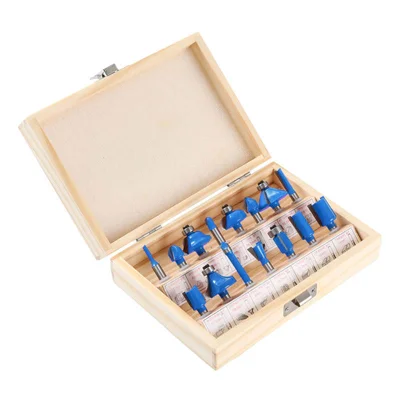
15-Piece Router Bit Set
Multi-size starter kit with carrying case
View on Alibaba →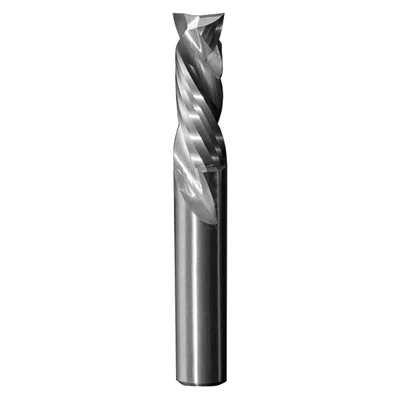
Compression Spiral Bits
Clean edges on plywood & MDF
View on Alibaba →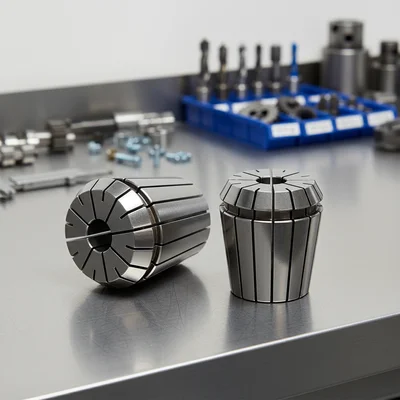
ER Collet Set
Precision holding, zero runout
View on Alibaba →As an Alibaba affiliate partner, we earn from qualifying purchases at no cost to you.