Home Reno Budget Tracker
Add sub-projects with budgeted and actual costs — instantly see total spend, variance per line, % over or under budget, and how much of your contingency fund is left.
Free Tool · Budget vs. Actual · % Variance · Contingency · CSV Export| Project / Task | Category | Budgeted | Actual | Variance | % Var |
|---|
How to Use This Tracker
Enter your total renovation budget and set a contingency percentage (industry standard is 10–20% depending on project age and complexity). Then add each sub-project with a budgeted amount and, as work progresses, fill in actual costs. The tracker instantly shows variance per line, total overage or savings, and how much of your contingency fund has been absorbed by overruns.
1 Set Your Budget
Enter the total amount you've allocated for the entire renovation — before contingency. The tool adds the contingency on top as a separate reserve so you always see your working budget and your safety net as distinct numbers.
2 Add Sub-Projects
Break your renovation into specific tasks — Kitchen Cabinets, Bathroom Tile, Electrical Rough-In, etc. Finer detail = better visibility. When one line runs over, you can see immediately which category is the culprit and adjust scope elsewhere.
3 Track Actuals
As invoices arrive or purchases are made, enter the actual cost for each line. Leave actual at $0 for work not yet started. Green variance = under budget. Red variance = over budget and drawing from your contingency reserve.
4 Watch Contingency
The contingency block shows how much of your buffer has been absorbed by overruns across all sub-projects. When the contingency is nearly depleted, it's time to cut scope, value-engineer material choices, or pause non-essential items.
Frequently Asked Questions
Industry professionals recommend 10–20% contingency depending on project scope and home age. For simple cosmetic renovations in newer homes, 10% is typically sufficient. For projects involving structural work, mechanical systems (electrical, plumbing, HVAC), or homes older than 30 years, budget 15–20%. Once walls are opened, hidden issues — mold, outdated wiring, damaged framing — are common. Having a contingency fund means those surprises don't derail the project.
Track each trade and room separately for maximum visibility. Common categories include: Kitchen (cabinets, countertops, appliances, backsplash), Bathroom (tile, fixtures, vanity), Flooring, Painting & Drywall, Electrical, Plumbing, HVAC, Roofing, Windows & Doors, Landscaping, Permits & Inspections, and Design Fees. Also track labor and materials as separate line items where possible — knowing whether it's labor or materials that caused the overage helps you make smarter adjustments on the next job.
The most common causes are: (1) Hidden conditions discovered during demolition — rot, mold, pests, outdated wiring; (2) Scope creep — "while we're in here" decisions that add cost without a formal change order; (3) Material price increases or delivery delays forcing substitutions; (4) Inadequate initial estimates that don't account for all finish work, permits, or cleanup; and (5) Missing contingency entirely. Tracking actual vs. budgeted costs on a sub-project level is the most effective way to catch overruns early, while there's still time to rebalance scope.
The 30% rule suggests not spending more than 30% of your home's current market value on total renovations. For example, on a $300,000 home, the recommended cap is $90,000. Renovations rarely return 100% of their cost at resale, and over-improving a home relative to the neighborhood limits your ability to recoup costs. Kitchens and bathrooms typically deliver the best ROI (60–80% recoup) while luxury additions like pools often return less than 50%. This rule works best as a planning guardrail, not a hard ceiling — if you plan to stay long-term, personal value matters as much as resale math.
Related Tools
Top Picks for CNC Router Tooling
Professional-grade carbide tools ready to ship. Click any product to view details and pricing.
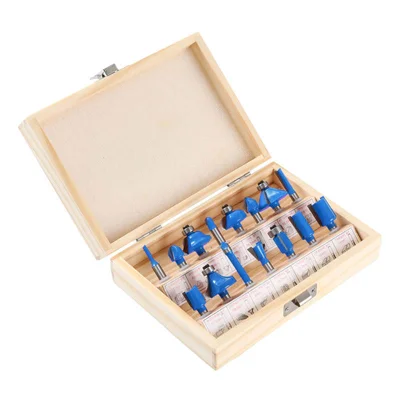
15-Piece Router Bit Set
Multi-size starter kit with carrying case
View on Alibaba →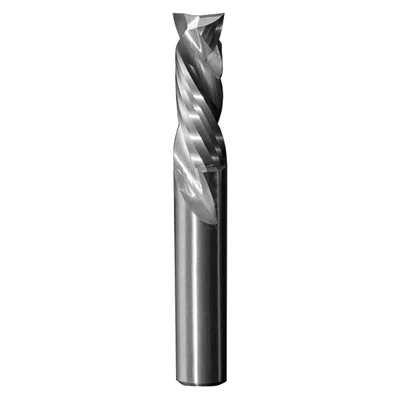
Compression Spiral Bits
Clean edges on plywood & MDF
View on Alibaba →
ER Collet Set
Precision holding, zero runout
View on Alibaba →As an Alibaba affiliate partner, we earn from qualifying purchases at no cost to you.