CNC Router Bits and Tool Selection · KB-032
CNC Router Bit Flute Count: One, Two or Three Flutes?
Choose flute count by chip space, feed capability, material and finish instead of assuming more cutting edges always produce a better result.
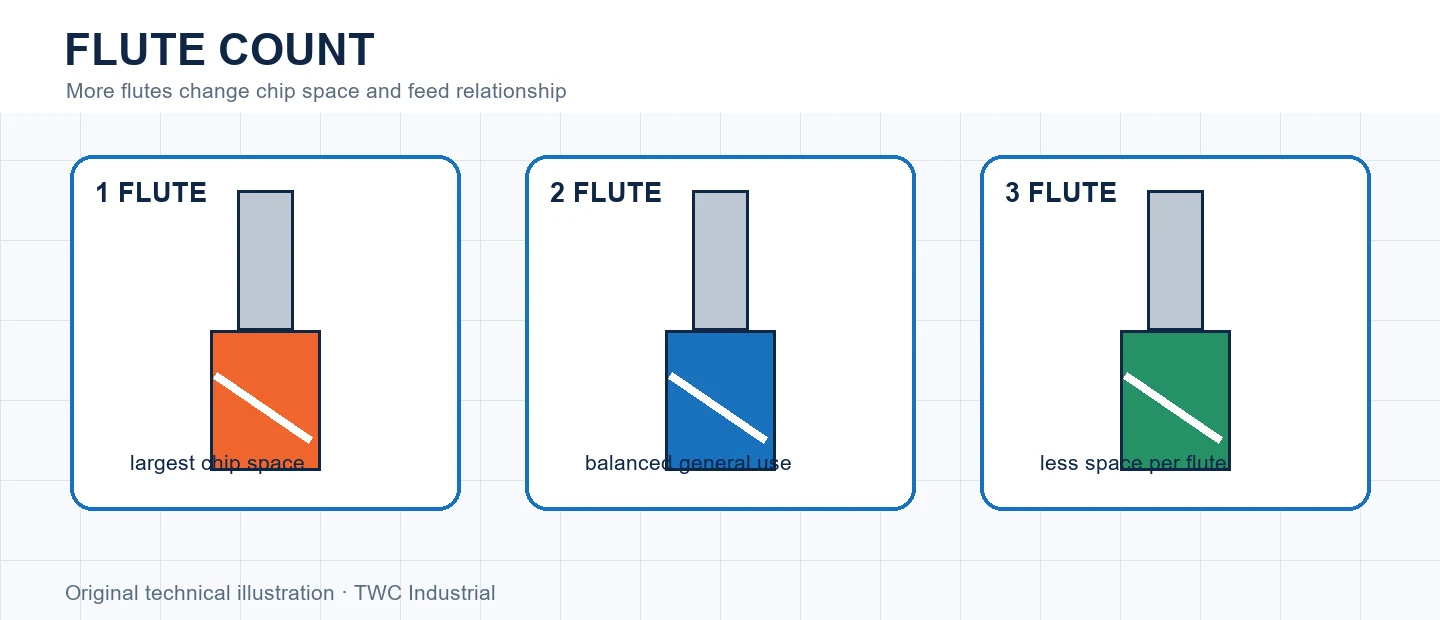
Flute count changes how many edges pass the material per revolution and how much space remains for chips. At the same RPM and chip load per tooth, adding flutes requires a proportional feed increase that the machine and process must support.
Understand the physical relationship
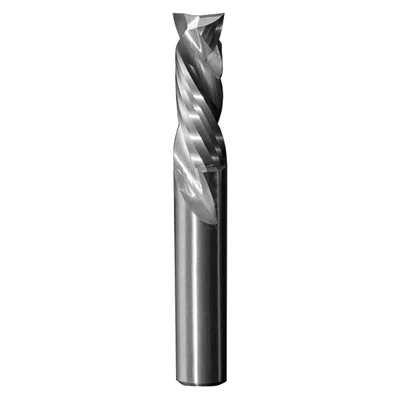
A single-flute cutter can provide a large evacuation channel. Two flutes are common for general routing. Additional flutes add edges but reduce chip space in a fixed diameter. This is a trade between cutting events, evacuation and machine feed—not a simple quality ranking.
Connect geometry to the cut
Chip load is commonly related to feed divided by RPM and flute count. If flute count rises while feed and RPM remain fixed, each edge removes a thinner chip. That can increase rubbing and heat. Runout can also cause one flute to carry more load.
Choose for the complete application
Consider straight-line feed, acceleration through curves, depth, material softening and extraction. A controller may reach calculated feed on long paths but slow in corners. The suitable count is the one whose chip formation remains controlled across the real path.
Run a controlled comparison
Cut representative geometry in the intended material before committing valuable stock. Hold tool identity, projection, workholding and origin constant while changing one relevant variable. Record chips, sound, heat, edge condition and measured geometry. For cnc router bit flute count: one, two or three flutes?, a completed path is not enough; the result must show that chip formation and machine feed agree with the selected flute count. Keep the inspected coupon, photograph and CAM revision together.
Create a traceable tool record
Record manufacturer, part number, cutting diameter, shank, cutting length, flute form and measured projection. Add the tested material and operation rather than labeling the cutter only by color or drawer. Flute count changes both feed calculation and evacuation space. Do not transfer an unexplained offset or operating value to a visually similar tool.
Interpret the evidence before changing CAM
If the cut differs from expectation, separate tool geometry from machine calibration, material variation, workholding and engagement. Measure more than one feature and inspect whether error changes with depth, direction or time. A consistent size offset suggests a different investigation from a mark repeating once per revolution or heat appearing only in corners. For this topic, flute count changes both feed calculation and evacuation space. Correct the identified layer, repeat the controlled coupon and document the comparison instead of accumulating compensating settings whose purpose is no longer known.
Verify the full cutting envelope
Recalculate and simulate the cutter, shank and holder at the deepest feature, entry and retract. Confirm the physical tool matches the library and posted program. Review workholding, extraction, guarding and stop controls. A safe-looking centerline cannot prove the collet nut, dust shoe or released stock will remain clear.
Decision table
| Count | Potential strength | Verify |
| One | Large chip space | Balance and finish |
| Two | General balance | Feed and extraction |
| Three | More edges per turn | Machine can feed enough |
| Any | Material geometry | Manufacturer application |
Worked situation
A three-flute cutter burns where a two-flute cut cleanly at the same feed and RPM. Recalculate per-tooth feed and machine capability instead of blaming the coating.
Practical checklist
- Confirm flute count.
- Calculate feed relationship.
- Check chip space.
- Inspect corner behavior.
Frequently asked questions
Do more flutes always create a smoother edge?
No. Feed, evacuation, runout, rigidity and material can outweigh edge count.
Can a tool-library entry replace cutter documentation?
No. Confirm the exact cutter identity and manufacturer limits, then verify imported values for the actual machine and setup.
Can appearance alone prove a cutter is safe?
No. Isolate power before handling and inspect according to the cutter, collet, spindle and machine manufacturers’ procedures.
Sources and editorial use
Sources support the technical facts in this original explanation. Their text and images have not been republished.
- The Router Way: Tool Selection and Chip Load — LMT Onsrud
- CNC Router Bit Selection Poster — Amana Tool
- Speeds and Feeds for New CNC Machinists — Autodesk Fusion