Machine Comparisons
CNC Router vs CNC Milling Machine: Real Differences
CNC router vs CNC milling machine — real differences in rigidity, RPM, materials, work area, accuracy & price. Pick the right machine for your shop.CNC ROUTER VS CNC MILL
Real differences in rigidity, RPM, materials, work area, and price — so you buy the right machine the first time.
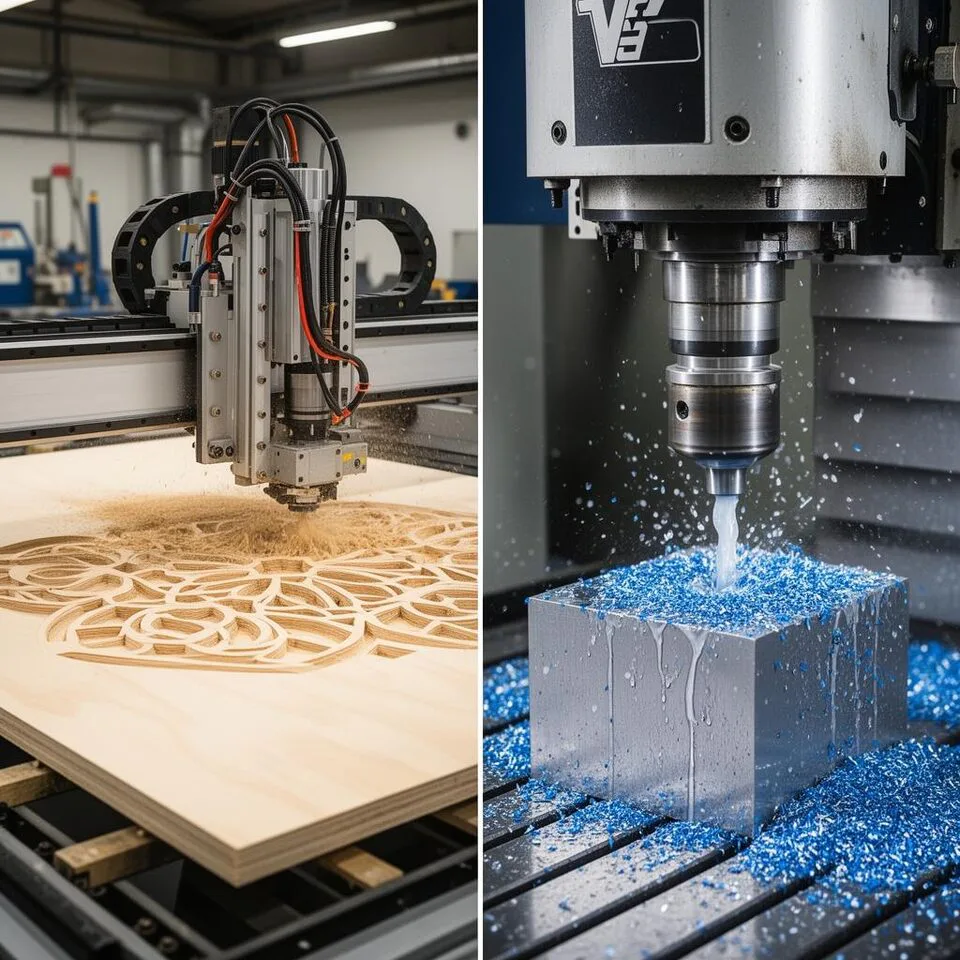
If you have ever stood in a shop and asked, "Should I buy a CNC router or a CNC milling machine?" — you are not alone. They both spin a cutter, both follow G-code, and both cost real money. But they are built for very different jobs, and buying the wrong one is one of the most expensive mistakes a small manufacturer can make.
This guide breaks down the real differences — frame rigidity, spindle, RPM, materials, accuracy, work area, and price — so you can match the machine to the parts you actually plan to make. For a broader CNC overview, start with our guide to the 5 must-know CNC machines.
CNC router wins for large, soft sheet goods — wood, plywood, MDF, acrylic, foam, aluminum composite. Big bed, fast feeds, low cost.
CNC mill wins for hard metal — steel, stainless, titanium, tool steel. Heavy frame, tight tolerance, real spindle taper. If you cut both, most shops buy a router for sheet work and keep a mill for metal parts.
TOP RECOMMENDATIONS BEFORE YOU READ FURTHER
|
/
BEST FOR WOOD
CNC Wood RoutersPlywood, MDF, hardwood · 4×8 ft beds, gantry frame Compare machine specifications |
//
BEST FOR METAL
CNC Milling MachinesSteel, aluminum, titanium · Cast-iron rigidity, tight tolerance Compare machine specifications |
///
BEST ENTRY TIER
Desktop CNC RoutersFor makers & small shops getting started · Under $2,000 Compare machine specifications |
1. Frame and Rigidity — The Biggest Difference
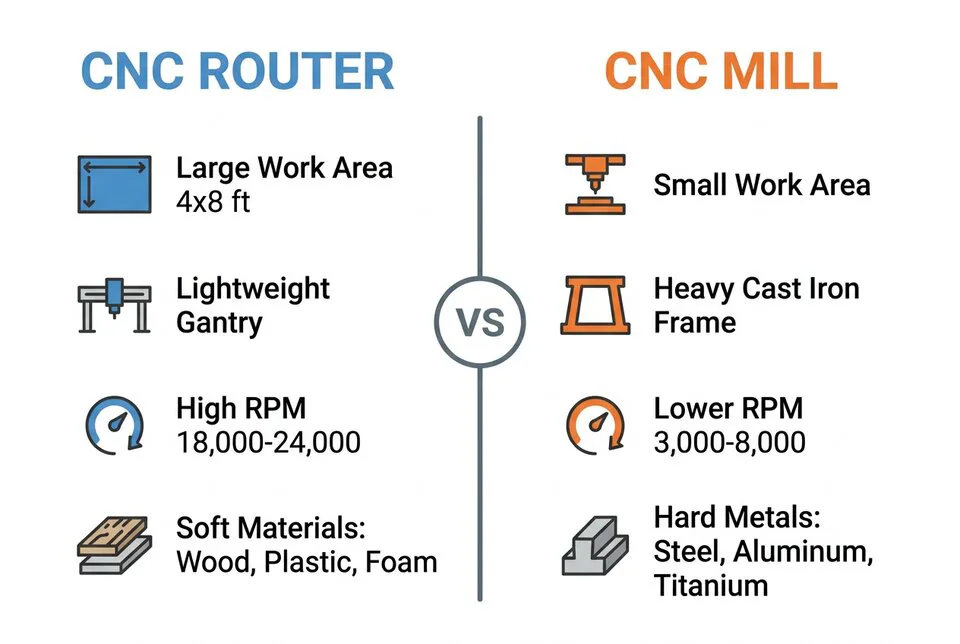
This is where most buyers get it wrong. The frame is the single biggest reason a router cannot replace a mill.
CNC routers use a moving-gantry design: aluminum extrusion or welded steel rails over a large flat table. The gantry is light so it can move fast (often 400–1000 IPM rapids), but it flexes under heavy cutting force. Push it too hard in steel and you get chatter, broken bits, and parts that are out of tolerance.
CNC milling machines use a heavy cast-iron column with a fixed spindle and a moving table (knee mill or bed mill) or a vertical machining center (VMC) with a boxy enclosed frame. A small benchtop mill weighs 500–1,500 lb. A production VMC weighs 8,000–25,000 lb. That mass absorbs vibration so you can take a 0.250″ deep cut in 4140 steel without the machine arguing with you.
Rule of thumb: if the part you are cutting is harder than aluminum and you need a real surface finish, you need the rigidity of a mill.
2. Spindle and RPM

Routers run fast and light. A typical router spindle is 2.2–9 kW air- or water-cooled, running 18,000–24,000 RPM. High RPM is what you need to get a clean edge on plywood, MDF, acrylic, or composite at high feed rates with small-diameter bits (1/8″ to 1/2″).
Mills run slow and strong. A typical VMC spindle is 7.5–22 kW, BT30 / BT40 / CAT40 tool holder, 6,000–12,000 RPM with massive low-end torque. That torque is what lets you swing a 1″ end mill through stainless without stalling.
Need to calculate the right speeds and feeds for your spindle? Use our free CNC feed rate calculator before you start a job.
3. Materials You Can Actually Cut
| Material | CNC Router | CNC Mill |
|---|---|---|
| Wood, plywood, MDF | ✅ Excellent | ⚠️ Overkill |
| Acrylic, HDPE, foam | ✅ Excellent | ⚠️ Overkill |
| Aluminum composite (ACM) | ✅ Excellent | ✅ Good |
| Aluminum (6061, 7075) | ⚠️ Light cuts only | ✅ Excellent |
| Mild & carbon steel | ❌ Not recommended | ✅ Excellent |
| Stainless, tool steel, titanium | ❌ No | ✅ Designed for it |
Yes, some hobby-grade CNC routers can technically machine aluminum — but only with shallow depths (0.010–0.030″), small step-overs, and patience. For production aluminum, a mill or a high-rigidity router built for non-ferrous metals is the right tool. CNCSourced has a good breakdown of where the line really is.
4. Work Area and Z-Clearance
This is where routers shine. A standard 4×8 ft CNC router can hold a full sheet of plywood. A CNC mill with the same XY travel would be enormous and cost 5–10× more.
- CNC router XY: 24×36 in to 5×10 ft is normal; large-format up to 5×20 ft for sign shops.
- CNC mill XY: 12×16 in (Bridgeport-class) to 40×20 in (mid-size VMC). Anything bigger is a gantry mill or horizontal boring machine.
- Z-clearance: routers usually have 4–8 in Z. Mills have 16–24 in or more, which matters when you are working with vises, fixtures, and tall stock.
If you cut flat sheet goods, get a router. If you cut blocks of metal in a vise, get a mill. Our sheet metal weight calculator can help you size the bed you actually need based on the stock you run.
5. Accuracy, Tolerance, and Surface Finish

For wood and plastic, a router holding ±0.005 in (±0.13 mm) is excellent — well within visual tolerance for cabinetry, signage, and furniture. For metal parts that mate with bearings, gears, or threads, you need a mill that holds ±0.0005 in (±0.013 mm) or better.
Surface finish follows the same logic. A router leaves tool marks that you sand or finish out. A mill with proper speeds, feeds, and coolant leaves a finish you can use as-is, often Ra 1.6 µm or better.
6. Coolant, Chips, and Dust
Routers run dry with dust collection. Wood dust is a fire and lung hazard, so a 4–6 in dust shoe and a real cyclone collector are mandatory.
Mills run with flood coolant or mist on metal. Coolant cools the cutter, evacuates chips, and dramatically extends tool life. That means an enclosed work envelope and chip management — one more reason mills are physically larger and more expensive.
7. Price — What You Actually Pay
- Hobby CNC router: $1,000–$5,000 (24×24 in class)
- Pro CNC router: $8,000–$35,000 (4×8 ft, ATC, vacuum table)
- Large-format / 5-axis router: $40,000–$150,000+
- Benchtop CNC mill: $3,000–$10,000 (Tormach-class)
- Production VMC (Haas, Doosan, Hurco): $50,000–$150,000
- 5-axis VMC: $150,000–$500,000+
If you are importing a machine, do not forget duties and freight. Check our guides on US import duties on machinery from China and Taiwan and how to calculate true landed cost before you sign anything.
8. Which One Should You Buy?
Buy a CNC router if you:
- Cut wood, plywood, MDF, acrylic, foam, or composites
- Need a large work area (full sheets)
- Run cabinetry, signage, doors, furniture, or prototyping in soft materials
- Want the lowest cost-per-square-foot of cutting capacity
For deep dives on specific router models, see our reviews of the CNC 1325 wood router and the HY-3040 5-axis CNC router.
Buy a CNC mill if you:
- Cut steel, stainless, titanium, or tool steel
- Need tight tolerances (±0.001 in or better)
- Make small, dense parts — fixtures, gears, brackets, dies, molds
- Need a real spindle taper (BT30/BT40/CAT40) for production tooling
If your work mixes thin metal sheet with cutouts and holes, a router or mill may not be the right starting point at all — a fiber laser or plasma cutter often wins. Compare options in our Fiber vs CO2 laser guide or our review of the Jinan HN1530 plasma cutter.
The Bottom Line
A CNC router and a CNC milling machine are not competitors — they are complementary tools. Routers move fast across large areas in soft material. Mills hold tight tolerance in hard metal. The right answer depends on the part, not the brand.
If 80% of your work is sheet goods, buy a router and outsource the occasional metal job. If 80% of your work is metal parts, buy a mill and outsource the occasional sign. And if you are running a real production shop, you will eventually own both — plus a laser or plasma cutter for sheet metal blanks.
Need help running the numbers on a machine purchase? Our machine depreciation calculator and break-even point calculator are free and take less than two minutes.
Sources: Industry data cross-checked with CNCSourced, STYLECNC, and Cutting Edge Plasma.
Shop Ball Nose End Mills
Long-shank carbide cutters for 3D contouring, die finishing, and sign carving.
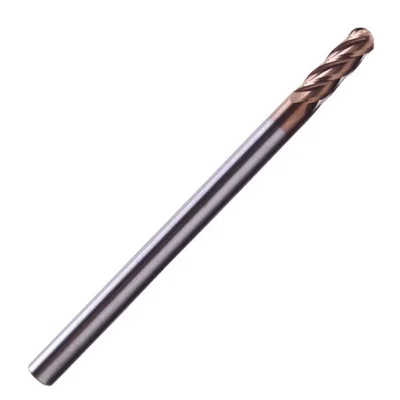
Ball Nose End Mill
R0.25–R8mm, 2/4 flutes, multiple coatings
View on Alibaba →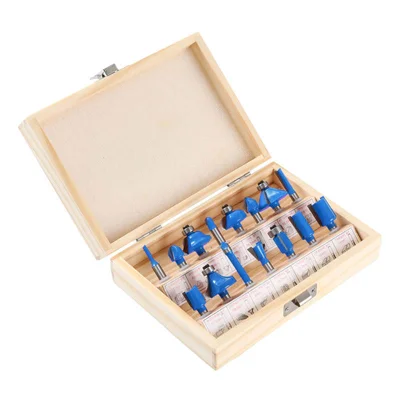
15-Piece Router Bit Set
Multi-size starter kit
View on Alibaba →
ER Collet Set
Precision tool holding
View on Alibaba →As an Alibaba affiliate partner, we earn from qualifying purchases at no cost to you.