CNC Machine
Industrial CNC vs Desktop CNC – Key Differences for Small Business Owners
Industrial CNC vs desktop CNC: compare rigidity, accuracy, throughput, and total cost so small business owners can pick the right machine.For a small business owner looking to bring CNC machining in-house, the choice between an industrial CNC and a desktop CNC is rarely as simple as "big budget" versus "small budget." The two categories are different tools built for different jobs. Pick the wrong category and you'll either burn cash on capacity you can't fill, or strangle your shop with a machine that can't keep up with paid orders.
This guide breaks down the real day-to-day differences between industrial and desktop CNC machines from a business owner’s perspective: build quality, capability, throughput, cost of ownership, staffing, facilities, and most importantly, which one actually makes sense for your stage of growth.
What "Industrial" and "Desktop" Really Mean
The terms get thrown around loosely, so let's pin them down.
A desktop CNC is a benchtop machine, usually under 100 kg, that runs from a standard 110/220 V wall outlet. Frames are aluminum extrusion or light steel, work envelopes are typically under 1 m, and the spindle is anywhere from a hand-trim router up to a 1.5–2.2 kW air- or water-cooled unit. Targeted at hobbyists, makers, schools, prototyping desks, and very small production runs.
An industrial CNC is a floor-standing, fully enclosed machine, often a vertical machining center (VMC), a CNC lathe, or a large-format router, weighing anywhere from 1,500 kg to more than 15,000 kg. It runs on three-phase power and uses cast-iron or heavy welded-steel construction, ball-screw or linear-motor drives, automatic tool changers (ATC), high-pressure coolant, and industrial controllers such as Fanuc, Siemens, Heidenhain, Haas, or Mitsubishi. These machines are targeted at production shops, contract manufacturers, and OEM suppliers.
The gap between these two categories is bigger than most marketing copy suggests. It is not just "size."
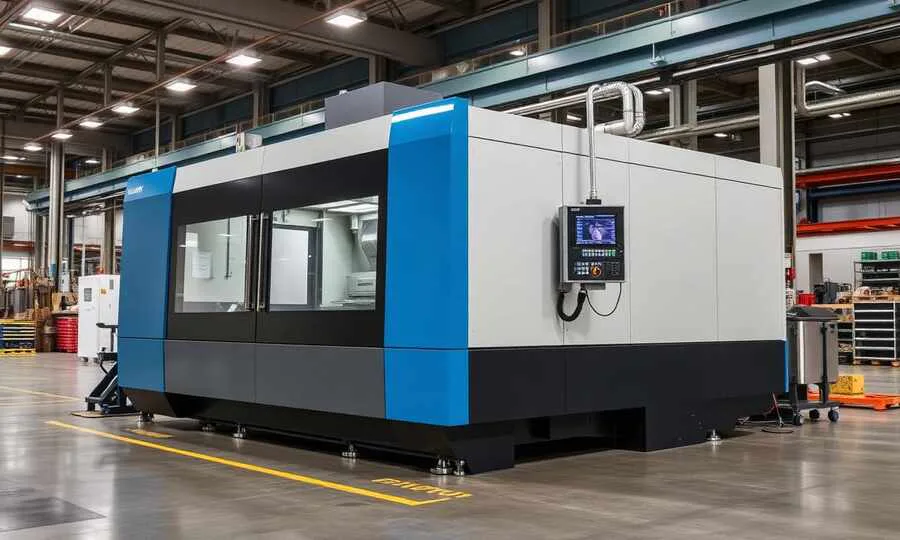
Build Quality and Rigidity
Rigidity is the single most important difference, because it dictates what you can cut, how fast, and how accurately.
A desktop machine flexes, even a well-built one. That flex shows up as chatter marks in aluminum, taper in deep pockets, and broken end mills when you push feed rates. You compensate with shallower depths, slower feeds, and more passes, which directly limits your throughput.
An industrial CNC is built to absorb cutting forces with almost no deflection. A 4,000 kg cast-iron base does not care that you're hogging out 6 mm of 6061 in a single pass with a 16 mm end mill. That rigidity translates directly into:
- Higher metal removal rates (MRR), often 10–50× higher than a desktop machine
- Tighter tolerances under load (±0.005 mm vs ±0.05 mm)
- Better surface finish straight off the tool, less hand finishing
- Longer tool life because the cutter sees consistent engagement
If the parts you sell are made of aluminum, steel, stainless, titanium, or tough composites at any real volume, rigidity is not a "nice to have."
Spindles, Tool Changers, and Cutting Capability
A desktop spindle tops out around 24,000 RPM but with very limited torque. It is great for small bits in wood and plastic, but marginal for serious metal work. Tool changes are manual: you stop the job, swap the bit, re-zero the Z-axis, and restart.
An industrial spindle delivers high torque across a wide RPM range (typically BT30, BT40, or HSK tooling) and is paired with an automatic tool changer holding 12, 24, or 40+ tools. The machine can run a complex part with 20 tool changes overnight, untouched. Add a pallet changer or bar feeder and the same machine runs lights-out for hours.
For a small business, that ATC is not a luxury; it is the difference between an operator babysitting one part at a time and an operator loading raw material every few hours while the machine works.
Accuracy, Repeatability, and Surface Finish
Both categories can hit decent accuracy on small, light cuts. The difference shows up under load and over a full shift.
| Parameter | Desktop CNC | Industrial CNC |
|---|---|---|
| Positioning accuracy | ±0.05 – ±0.1 mm | ±0.005 – ±0.01 mm |
| Repeatability | ±0.03 – ±0.05 mm | ±0.002 – ±0.005 mm |
| Practical surface finish | Ra 1.6–3.2 µm | Ra 0.4–0.8 µm |
| Thermal stability | Drifts with room temp | Glass scales, coolant-controlled |
| Spindle runout | 0.02–0.05 mm | < 0.005 mm |
If your customers send drawings with GD&T callouts, true position tolerances, or surface-finish specs, a desktop machine will quietly fail QC on parts that look fine to the eye.
Throughput: Where the Money Actually Lives
This is the number small business owners under-weight the most.
Imagine a simple aluminum bracket that takes 45 minutes on a desktop CNC. The same part on a properly tooled industrial VMC takes 6–8 minutes, with better finish and tighter tolerance. Over an 8-hour shift:
- Desktop: ~10 parts (with operator attention almost the entire time)
- Industrial VMC: ~60 parts (with the operator free to deburr, inspect, ship)
At any meaningful order volume, the industrial machine does not just win; it changes the economics of the business. If you are quoting jobs that you cannot deliver on time with a desktop machine, you are either turning down revenue or burning out your operator.
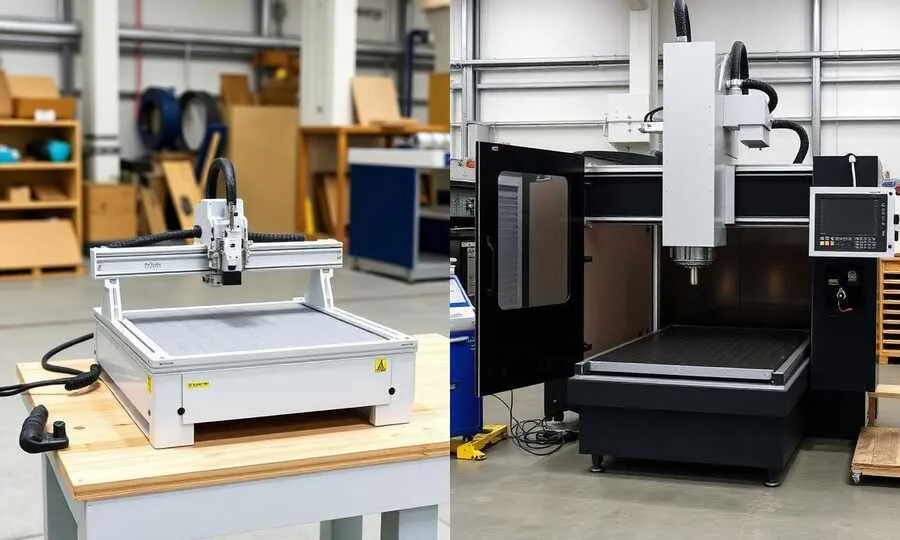
Total Cost of Ownership
Sticker price is the smallest part of the picture. A realistic comparison:
Desktop CNC
- Machine: $500 – $8,000
- Tooling, spindle upgrade, dust collection, workholding: $500 – $2,500
- Power: standard wall outlet
- Floor space: 1 m² of bench
- Operator skill: self-taught maker, 1–4 weeks to productive
- Maintenance: belts, V-wheels, lead-screw lubrication, occasional bearings
- Realistic working setup: $2,000 – $10,000
Industrial CNC
- Machine: $35,000 – $250,000+ (new); $15,000 – $80,000 used
- Tooling library, vises, fixtures, probes: $5,000 – $30,000
- Coolant, mist collector, chip conveyor: $2,000 – $10,000
- Three-phase power, possibly a transformer: $2,000 – $15,000 install
- Foundation, rigging, leveling: $1,500 – $8,000
- CAM software (Fusion 360, Mastercam, hyperMILL): $1,500 – $20,000/yr
- Operator/programmer salary: a real, recurring cost
- Annual service contract: $1,500 – $6,000
- Realistic working setup: $60,000 – $300,000+
The industrial machine is 10–30× the upfront and ongoing cost. It only makes sense when the throughput and capability gap also multiplies your revenue.
Facilities, Power, and Safety
A desktop CNC fits anywhere with a sturdy bench and a wall outlet. An industrial machine needs:
- Three-phase power (208 V, 400 V, or 480 V depending on region)
- A reinforced concrete floor capable of carrying point loads
- Clear ceiling height for the spindle, tool changer, and overhead crane
- Access for a forklift or rigger to deliver and position the machine
- Coolant management, chip handling, and proper ventilation
- Compressed air at 6–8 bar for tool clamping and air blast
- Often a fire-suppression strategy if you cut magnesium or run lights-out
Before you sign a quote, walk your shop with a tape measure and call your electrician. Many small businesses discover the facility upgrade costs as much as the down payment on the machine.
People: Operators, Programmers, and Maintenance
A desktop CNC is usually run by the owner. You design in Fusion 360, post G-code, hit Run, and deal with whatever happens. The learning curve is real but conquerable on weekends.
An industrial CNC needs a different skill set:
- A CAM programmer who understands tool engagement, chip thinning, HSM strategies, and post-processor quirks
- An operator/setter who can edge-find, set work offsets, prove out a program, and react to alarms
- Basic maintenance literacy—way oil, coolant concentration, spindle warm-up, backup batteries
If you can't hire that talent locally, you either pay for training, rely on a single key person (a business risk), or limit how complex your jobs can be. This is one of the most underestimated factors in moving from desktop to industrial.
Software, Controllers, and Integration
Desktop machines mostly run GRBL or proprietary controllers, with hobby-tier CAM (Carbide Create, Easel) or prosumer CAM (Fusion 360, Vectric).
Industrial machines run Fanuc, Siemens, Heidenhain, Mitsubishi, Mazak, or Haas controls. CAM is Mastercam, hyperMILL, NX CAM, Edgecam, Esprit, or Fusion 360 with the right post processor. Integration with ERP, MES, tool-management systems, probing cycles, and in-process measurement is a whole second job—but it's also what unlocks lights-out manufacturing and reliable quality.
If you plan to scale, choose a controller and CAM ecosystem with a deep talent pool in your region. Servicing, spare parts, and hireable operators matter more than feature checklists.

Which One Fits Your Business Stage?
A practical decision framework based on where your shop actually is:
Choose a desktop CNC if you are:
- Validating a product idea or building first prototypes
- Cutting wood, plastic, foam, composites, soft aluminum
- Producing under ~50 small parts per week
- Bootstrapping with under ~$10,000 of total budget
- Working out of a garage, studio, or shared workshop
- Doing custom one-offs, signage, models, or low-tolerance parts
Choose an industrial CNC if you are:
- Holding signed POs you can't fulfill on current capacity
- Producing aluminum, steel, stainless, or titanium parts to drawings
- Quoting jobs with GD&T, tight tolerances, or surface-finish specs
- Running 30+ hours of cutting time per week
- Hiring (or able to hire) a CAM programmer and operator
- Operating from a workshop with three-phase power and proper floor
A hybrid path that often works best is to start with a quality desktop CNC to learn the workflow, prove demand, and quote real jobs. Use the cash flow to justify a used or entry-level industrial VMC when capacity becomes the bottleneck. Keep the desktop machine for prototyping and small fixturing work even after the industrial machine arrives; it pays for itself by keeping the expensive machine focused on revenue-generating parts.
Common Mistakes Small Business Owners Make
A few patterns we see repeatedly:
- Buying industrial too early. A $80,000 VMC that runs four hours a week is a financed liability, not an asset.
- Buying desktop too late. Quoting industrial-grade jobs with a desktop machine ruins delivery dates and reputations.
- Ignoring labor. A great machine with no qualified operator is a very expensive paperweight.
- Forgetting facilities. Power, floor, ventilation, and rigging often equal 10–20% of the machine price.
- Underestimating tooling. A real industrial tool library, vises, and fixtures can be $20,000+ on day one.
- No quality plan. If you don't have calipers, micrometers, a surface plate, and ideally a CMM or height gauge, you can't actually verify what an industrial machine produces.
Final Thoughts
Industrial CNC and desktop CNC are not competitors. They're tools at different points on the same capability ladder. The right question is never "which one is better?" but "which one matches the parts I'm being paid to make in the next 12 months, with the people, power, and floor space I actually have?"
Match the machine to the work, not to the ambition, and your CNC investment will quietly become the most profitable equipment in your shop.
Top Picks for CNC Router Tooling
Professional-grade carbide tools ready to ship. Click any product to view details and pricing.
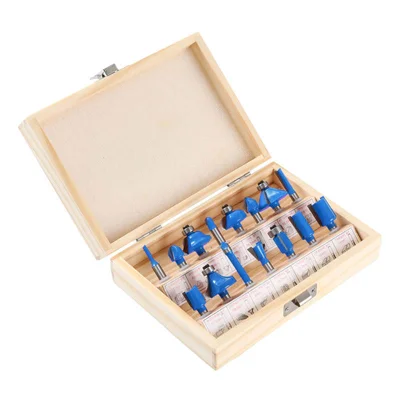
15-Piece Router Bit Set
Multi-size starter kit with carrying case
View on Alibaba →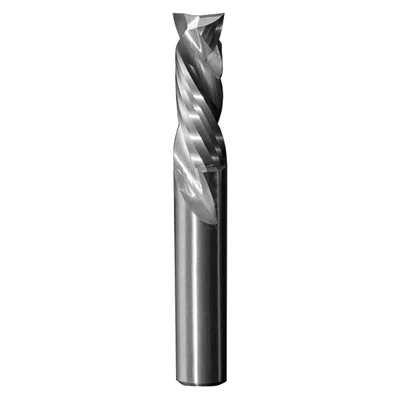
Compression Spiral Bits
Clean edges on plywood & MDF
View on Alibaba →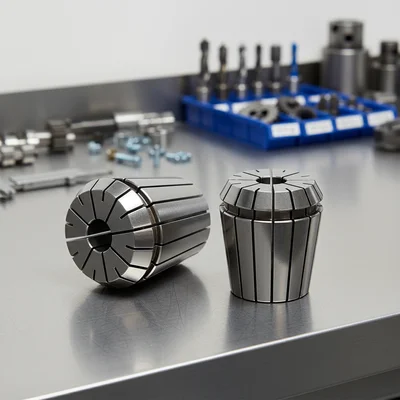
ER Collet Set
Precision holding, zero runout
View on Alibaba →As an Alibaba affiliate partner, we earn from qualifying purchases at no cost to you.