CNC Machine
5 Best CNC Machine for Small Business & Home Use in 2026: In-Depth Reviews
Looking for the best CNC machine for small business or home use? We review 5 top models in the current equipment market — from budget engravers to precision desktop mills.If you've been thinking about adding a CNC machine to your small business or home workshop, you're in the right place. CNC machines are no longer just for large factories — today's desktop models are more affordable, more capable, and more beginner-friendly than ever. Whether you want to engrave custom gifts, cut wood signs, mill aluminum parts, or prototype PCBs, there's a machine on this list that fits your workflow and budget.
We've selected five of the best CNC machines available from equipment suppliers right now, ranging from a portable laser engraver to a semi-professional enclosed desktop mill. We'll break down each machine's real-world strengths, weaknesses, ideal use cases, and how they stack up against each other so you can invest with confidence.
What Is a CNC Machine and Why Does Your Small Business Need One?
CNC stands for Computer Numerical Control — a machine that uses pre-programmed instructions to move a cutting or engraving tool with precise, repeatable accuracy. Instead of guiding a router or engraver by hand, you upload a design file and the machine executes it automatically, every time, with consistent results.
For small businesses and home workshops, a CNC machine unlocks capabilities that manual tools simply can't match: identical cuts on every piece, complex patterns and lettering, and the ability to work across materials from soft pine to aluminum. Common use cases include custom sign-making, personalized gifts, furniture components, jewelry, product prototyping, and PCB manufacturing.
The desktop CNC market has matured significantly in recent years. You can now get a solid, capable machine for $200–$2,500 depending on your needs, and many require minimal assembly and come with beginner-friendly software out of the box.
How We Chose These 5 Machines
Every machine on this list was evaluated against the criteria that matter most to small business owners and home users. Build quality and rigidity directly affect accuracy and long-term durability. Ease of setup and software determines how quickly you can go from box to first cut. Material compatibility tells you what the machine can actually handle in real-world conditions, not just marketing claims. Work area size matters because a machine that constantly requires repositioning slows down production. Value for money considers whether you're getting meaningful features at the asking price. And community and support — tutorials, replacement parts, and responsive customer service — can make or break your experience, especially when you're just starting out.
The 5 Best CNC Machines for Small Business and Home Use
1. LaserPecker LP2 — Best Portable Laser Engraver
Product reference: View the current manufacturer and retail information on Amazon ↗. Specifications and availability may change; verify them before making a technical decision.
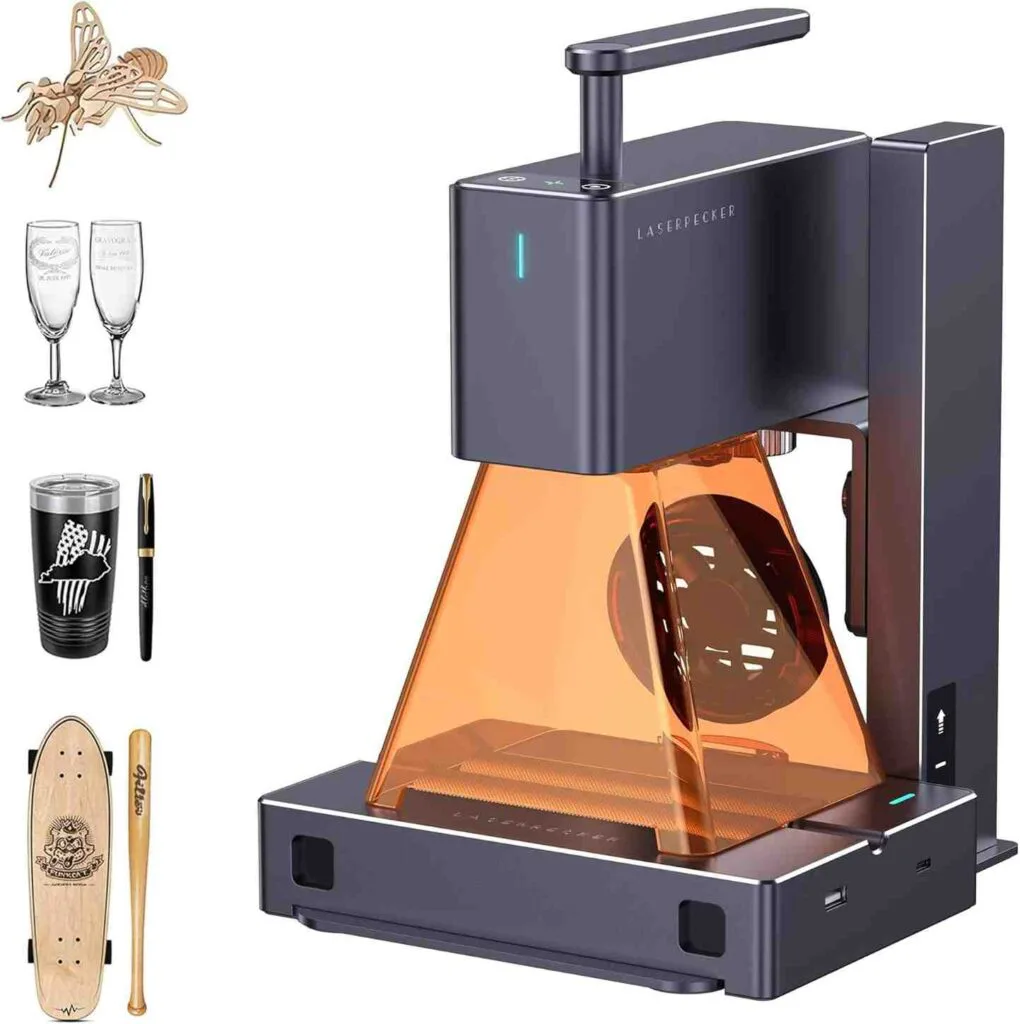
What Makes It Different
The LaserPecker LP2 is not a traditional CNC router — it's a compact, handheld laser engraver built around galvanometer (galvo) mirror technology. Instead of physically moving the laser head along X and Y rails like most engravers, the LP2 steers its laser beam using fast-moving mirrors. This single design difference is responsible for its most remarkable capability: a maximum engraving speed of 36,000 mm/min, which is dramatically faster than any gantry-style machine in its price class.
The LP2 ships in a "Suit Set" that includes the Versatile SpinTrack™ Electric Roller, unlocking three distinct operating modes beyond standard flat-surface engraving.
Key Specifications
- Laser: 5W 450nm Blue Diode (galvo system)
- Max engraving speed: 36,000 mm/min
- Precision: 0.05 mm compressed spot size
- Native work area: 100 × 100 mm
- Extended work area with roller: 100 × 2,000 mm
- Resolution options: 1K / 1.3K / 2K
- Connectivity: Bluetooth to mobile app + desktop software
- Materials: Wood, leather, cardboard, kraft paper, coated metals, brushed stainless steel, acrylic (light cutting)
Real-World Performance
The galvo system is the LP2's defining advantage. Because only the mirrors move — not the physical head — the machine can complete engraving jobs at speeds that would be mechanically impossible on a standard rail-based laser. In practical terms, a batch of 50 personalized keychains that might take over four hours on a comparable gantry engraver can realistically be completed in under an hour on the LP2. For small businesses fulfilling orders or doing live customization at events, that speed advantage translates directly to revenue.
At 0.05 mm spot size with 2K resolution, detail quality is genuinely sharp — fine text, portrait photos, and intricate vector artwork all reproduce cleanly on wood and leather. The LaserPecker Design Space app is intuitive enough that most users are engraving their first project within minutes of unboxing, without needing to learn G-code or complex CAM workflows.
The SpinTrack™ Electric Roller adds significant versatility. In Cylinder mode, it enables 360° engraving on tumblers, wine glasses, pens, and mugs. In Slab mode, it supports long flat pieces beneath the laser. In Trolley mode, the LP2 physically drives itself across a surface, enabling engravings up to 2,000 mm long — far beyond what the native 4×4 inch bed would suggest.
What It Can't Do
The LP2's limitations are real and worth understanding before buying. The native 100 × 100 mm work area is small — if you regularly need to engrave large flat panels or signs, you'll need to work in Trolley mode or look at a different machine altogether. It cannot engrave pure metal or shiny metal surfaces without prior coating (applying black paint or Sharpie first), which adds a prep step for metalwork. It also cannot cut thick materials — the LP2 is rated for wood and paper up to about 0.2 inches (5mm) thickness. A notable pattern in user reviews is slow customer support response, which is a meaningful concern for a business-critical tool.
Verdict
The LP2 is the right machine if your business revolves around personalized products — custom tumblers, engraved leather goods, wooden keychains, coasters, and anything where speed and portability matter. It is not the right choice for large-format work, thick material cutting, or production that requires LightBurn software compatibility on the base model. For craft fair vendors and gift-product sellers, it's hard to beat.
2. Genmitsu Cubiko — Best Enclosed Desktop CNC for Beginners
Product reference: View the current manufacturer and retail information on Amazon ↗. Specifications and availability may change; verify them before making a technical decision.
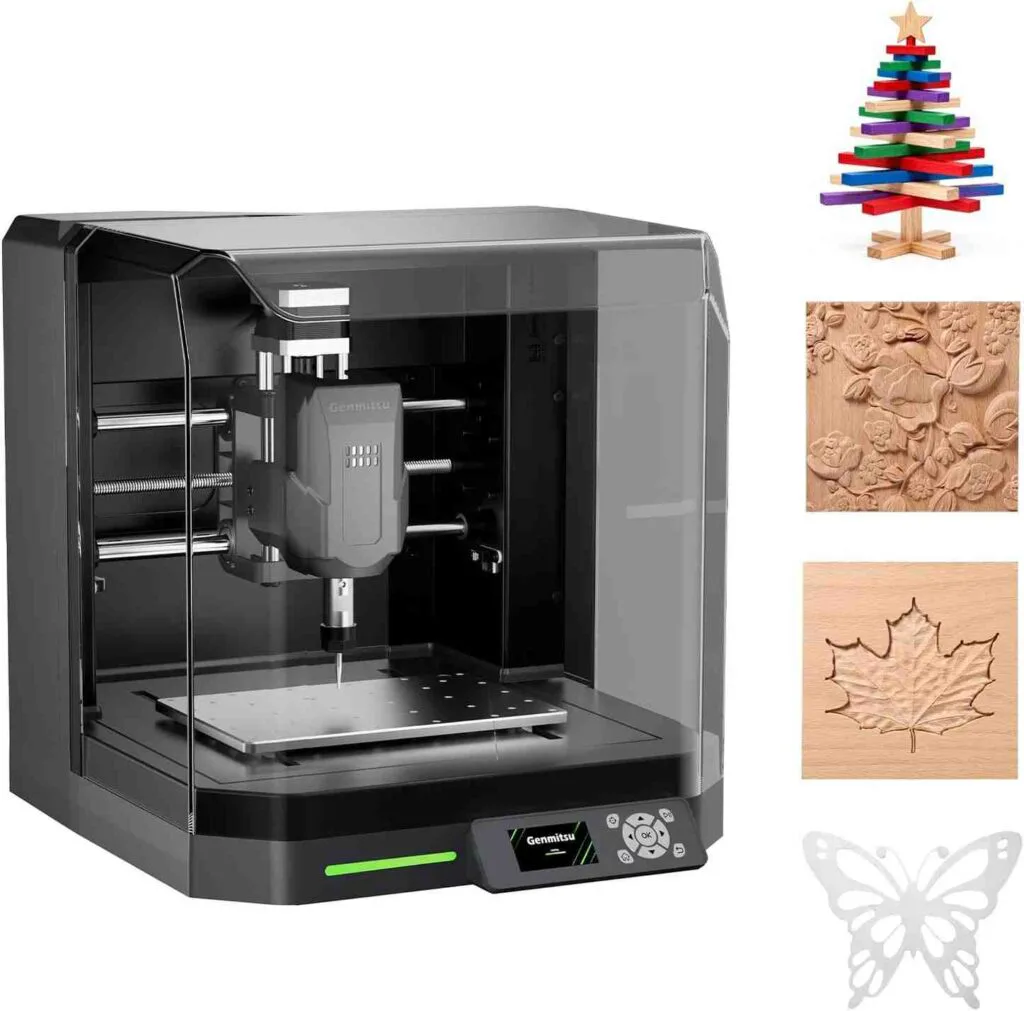
What Makes It Different
The Genmitsu Cubiko takes a completely different approach to entry-level desktop CNC. Made by SainSmart's Genmitsu brand — one of the most respected names in the hobbyist CNC market — the Cubiko is built around two priorities: safety and accessibility. Its fully enclosed chassis means it contains dust and debris, reduces operating noise, and prevents the kind of unexpected bit ejections that can happen on open-frame machines. Starting from around $199, it's the most affordable machine on this list and arguably the most genuinely plug-and-play.
Key Specifications
- Work area: 150 × 110 × 40 mm
- Spindle: 75W with ER11 collet
- Precision: ±0.1 mm
- Auto Z-probing: Yes
- Height Map Auto-Leveling: Yes
- Control options: Built-in panel, WiFi + Genmitsu App, USB/PC
- Compatible software: Genmitsu App, Fusion 360, Easel, Candle, Carveco, all GRBL software
- Materials: Wood, acrylic, plastics, PCBs, soft metals (aluminum/brass at 0.5mm depth per pass)
- Assembly: None required — arrives fully assembled
- Modular add-ons: Laser module, drawing module, polishing head (sold separately)
Real-World Performance
The Cubiko arrives completely assembled. You literally plug it in and start carving — no wiring, no hardware assembly, no calibration ritual. This is genuinely unusual in the desktop CNC space, where even otherwise beginner-friendly machines typically require an hour or two of setup before you can make a first cut.
The Auto Z-probing and Height Map Auto-Leveling features stand out for the price. Height mapping scans your material's surface at multiple points and automatically adjusts the toolpath to compensate for any unevenness — this is particularly valuable for PCB milling, where cutting depth consistency is critical and even a fraction of a millimeter of error ruins a board. One user in the Genmitsu community discovered a clever trick: laying aluminum foil over non-conductive wood allows the machine to probe and map the surface for perfectly consistent milling depth even on warped or rough lumber.
The enclosed design genuinely does reduce noise compared to open-frame machines, making the Cubiko viable on a desk in an apartment, shared office, or classroom. You can operate it with three different control methods — the onboard panel, the WiFi-connected Genmitsu app, or via USB from a PC — giving you flexibility depending on your workflow. The modular add-on system is also worth noting: swapping in a laser module or drawing attachment turns the Cubiko into a different class of machine without buying a second unit.
What It Can't Do
The 150 × 110 × 40 mm work area is small by any measure. You won't be cutting guitar bodies, large signs, or anything requiring more than about 6 × 4 inches. The 75W spindle is underpowered for aggressive material removal — expect slow feed rates and shallow passes on anything harder than soft wood or acrylic. Metal cutting is possible but limited to very conservative passes. The machine is also made primarily of plastic internally, which means it is not built for high-volume production or heavy commercial use.
Verdict
The Cubiko is the ideal first CNC machine for beginners, students, educators, PCB makers, and apartment users who need a safe, clean, enclosed machine that works immediately out of the box. If your projects are small-scale — engraved plaques, PCBs, small decorative items, custom jewelry masters — the Cubiko delivers real value at its price point. If you need a larger work area or more cutting power, step up to one of the machines below.
3. Twotrees TTC450 Pro — Best Mid-Range CNC Router for Woodworking
Product reference: View the current manufacturer and retail information on Amazon ↗. Specifications and availability may change; verify them before making a technical decision.
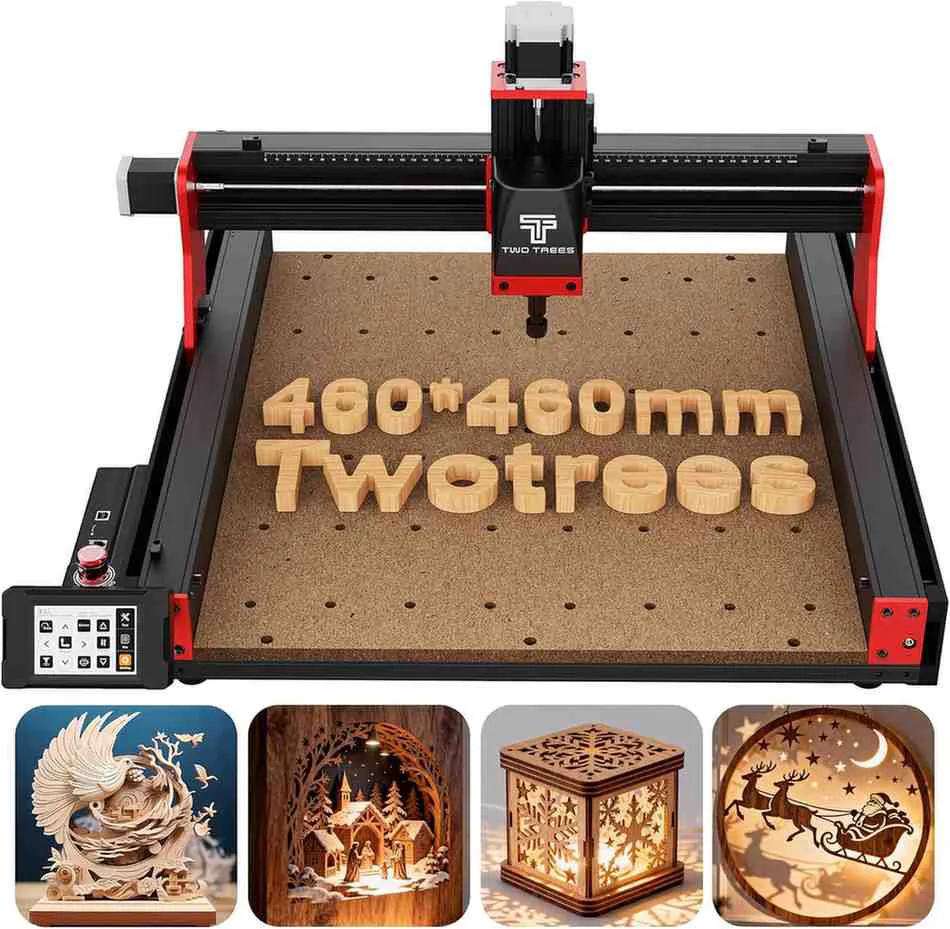
What Makes It Different
The Twotrees TTC450 Pro is where the list steps up into serious desktop CNC router territory. With a 460 × 460 × 80 mm working area, an all-metal frame, NEMA 57 stepper motors, a 3.5-inch color touchscreen, and lead screw-driven axes, the TTC450 Pro brings features typically associated with more expensive machines down to a competitive price point. It's a machine clearly aimed at the woodworking hobbyist or small business owner who has outgrown the limitations of belt-driven 3018-style machines.
Key Specifications
- Work area: 460 × 460 × 80 mm
- Frame: All-metal, anodized aluminum (black and red)
- Motors: NEMA 57 stepper motors (stronger than typical NEMA 17 found on budget machines)
- Drive system: Lead screws (more rigid and precise than belt-driven systems)
- Included spindle: 76W (standard) — 500W spindle available as upgrade/bundle option
- Touchscreen: 3.5-inch color touchscreen controller
- Compatible software: Easel, VCarve, Fusion 360, Carveco Maker, LightBurn (for laser module)
- Optional add-ons: 500W spindle, laser engraving module, 4th axis rotary, dust extraction system
- Materials: Wood, MDF, plywood, acrylic, PVC, ABS, carbon fiber, resin, soft metals (aluminum, brass)
- Assembly: Partially assembled — expect 1–2 hours
Real-World Performance
The TTC450 Pro's build quality immediately sets it apart from entry-level machines. The anodized aluminum frame is solid and rigid, the NEMA 57 motors provide noticeably more torque than the NEMA 17 motors found on budget routers, and the lead screw drive system eliminates the flex and stretch that belt-driven machines suffer from over time. TechRadar's review notes the machine sits between value-focused routers like the Genmitsu 4040 Pro and more premium options like the Shapeoko series in terms of rigidity and accuracy.
The 3.5-inch touchscreen is a genuine quality-of-life feature. You can access settings, recall previously saved files, manage calibration, and monitor machining status directly on the machine without needing a connected laptop. The touchscreen and enclosed wiring also give the TTC450 Pro a more premium feel than equivalently priced competitors.
With the stock 76W spindle, the machine can handle wood and soft materials competently, though somewhat slowly. The real transformation comes with the 500W spindle upgrade — at that point, the TTC450 Pro becomes a fast, capable cutter that handles hardwood, plywood, and even light aluminum with genuine efficiency. Most serious users consider the 500W spindle a near-essential purchase alongside the base machine.
What It Can't Do
The stock 76W spindle is underwhelming for production use — if you plan to do real woodworking, budget for the 500W upgrade from the start. Assembly, while not excessively complex, takes time and some users have reported loose wires causing homing issues with axis limit switches, requiring attention during initial setup. Community support is still growing compared to established brands like Genmitsu/SainSmart, which means fewer community tutorials and forum resources are currently available. The machine is also primarily open-frame, so dust management requires additional planning — a dust shoe accessory is recommended for regular use.
Verdict
The TTC450 Pro is the best option on this list for woodworkers, sign makers, and makers who need a genuinely large working area with solid rigidity at a price well below premium machines. If you're creating wooden signs, carved panels, furniture components, or custom products in wood and acrylic, the TTC450 Pro with the 500W spindle upgrade is an outstanding value. Factor the spindle cost into your budget from the beginning and you'll be well rewarded.
4. LUNYEE 3020 Nova — Best All-Metal Desktop CNC for Metal Cutting
Product reference: View the current manufacturer and retail information on Amazon ↗. Specifications and availability may change; verify them before making a technical decision.
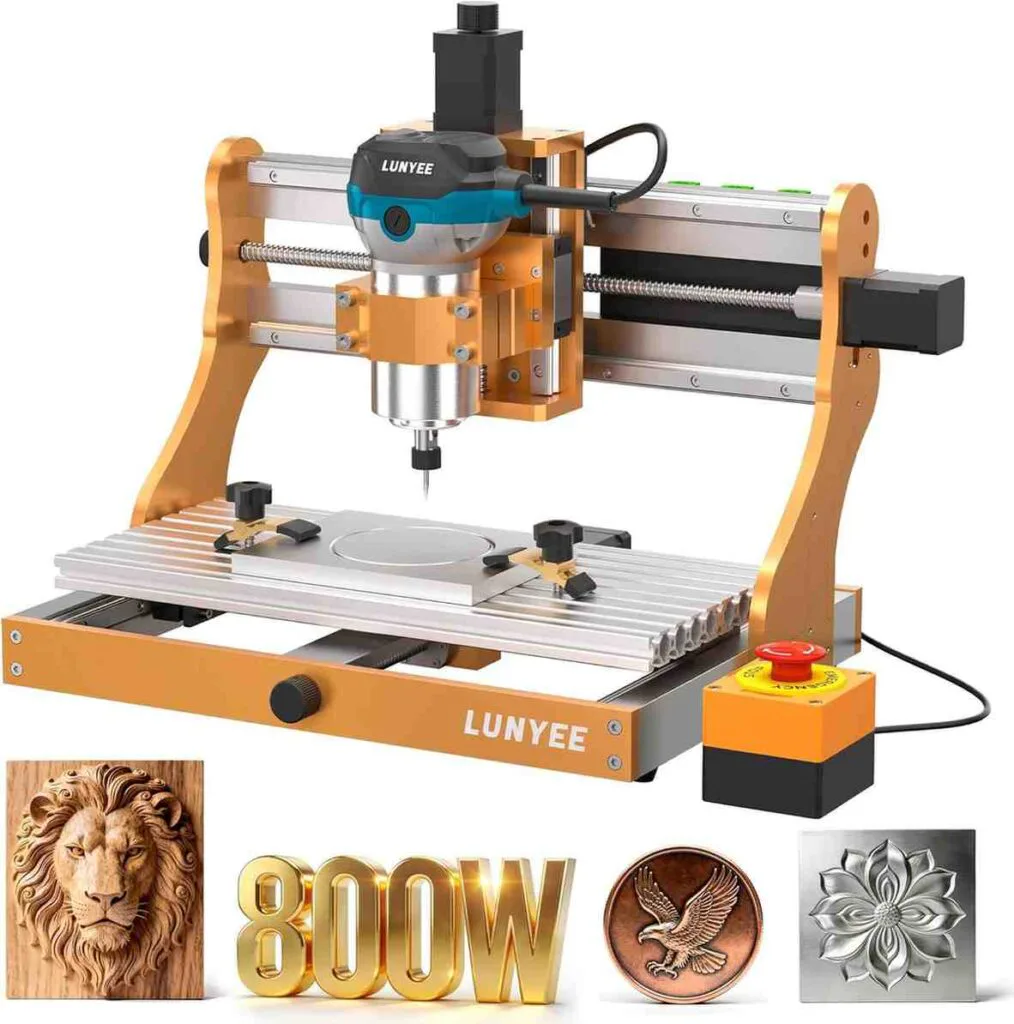
What Makes It Different
The LUNYEE 3020 Nova occupies a specific and important niche: it's a compact desktop CNC machine built with genuinely industrial-grade motion hardware — 1204 ball screws and HG-15 linear rails on all three axes — that most machines in this size and price class cut corners on. That combination delivers zero backlash, superior rigidity, and ±0.05 mm accuracy, making the 3020 Nova the most capable option on this list for anyone who needs to machine soft metals like aluminum and brass with real consistency and surface quality.
Key Specifications
- Work area: 300 × 200 mm (T-track table)
- Frame: All-metal construction
- Drive system: 1204 ball screws on all axes (X, Y, Z)
- Linear motion: HG-15 linear rails on all axes
- Spindle: 800W trim router, 10,000–30,000 RPM, 6 speed settings
- Max movement speed: 5,000 mm/min
- Accuracy: ±0.05 mm
- Stepper motors: ~650 mN·m torque
- Connectivity: Compatible with GRBL-based software — Fusion 360, Easel, Candle, UGS, LaserGRBL, LightBurn
- Assembly: Mostly pre-assembled — Z-axis module mounts with 4 screws
- Weight: ~15 kg (heavier than most desktop CNCs — a good sign for rigidity)
- Optional upgrades: 5.5W / 10W laser module, CNC vise
Real-World Performance
The moment you pick up the LUNYEE 3020 Nova, the weight tells the story. At approximately 15 kg, it's significantly heavier than most compact desktop CNCs, and that mass comes from the all-metal frame and industrial-quality motion components. Ball screws and HG-15 linear rails are hardware you'd normally expect to find on machines costing two or three times more in this footprint.
In real-world testing on aluminum, users report clean, stable cuts without chatter or vibration — using conservative settings such as a 3.175 mm single-flute end mill at 0.2 mm depth of cut and approximately 10 mm/s feed rate. Surface quality from the machined aluminum is clean enough for functional parts without immediate post-processing. Compared to belt-driven machines in the same size range, the ball screw system provides noticeably better control and repeatability during metal cutting.
The 800W trim router spindle with 10,000–30,000 RPM and six speed settings handles the full material range confidently — solid wood, MDF, plywood, plastics, acrylic, carbon fiber, and soft metals including aluminum, brass, and with care, stainless steel. The T-track table and included Z-probe make workholding and tool height setting fast and reliable. The machine arrives nearly fully assembled — mounting the Z-axis module takes only a few minutes.
LUNYEE's compatibility with all standard GRBL software is a significant advantage. Fusion 360, Easel, Candle, LightBurn for the optional laser module — the 3020 Nova integrates into any existing CNC workflow without software lock-in.
What It Can't Do
The 300 × 200 mm work area is moderate — larger than the Cubiko and LP2, but smaller than the TTC450 Pro. Large woodworking projects like signs or furniture panels will need to be broken into sections or taken to a bigger machine. Like most desktop CNCs, it requires the user to have some familiarity with CAM software and feeds/speeds — it is not as turnkey as the Cubiko. Dust management requires adding an external dust boot for regular production use. It is also not designed for steel or hardened metals beyond light, controlled passes.
Verdict
The LUNYEE 3020 Nova is the strongest choice on this list for makers who need a compact desktop CNC that genuinely handles metal. If you're making aluminum parts, brass fixtures, custom hardware, PCBs, or working with any material that demands real rigidity and precision, the 3020 Nova's ball screw and linear rail system delivers at a price that is hard to argue with. For pure woodworking, the TTC450 Pro's larger bed makes more sense — but for metal and high-precision work in a desktop footprint, the 3020 Nova is the clear pick.
5. Carvera Air — Best Premium Desktop CNC for Serious Makers
Product reference: View the current manufacturer and retail information on Amazon ↗. Specifications and availability may change; verify them before making a technical decision.
What Makes It Different
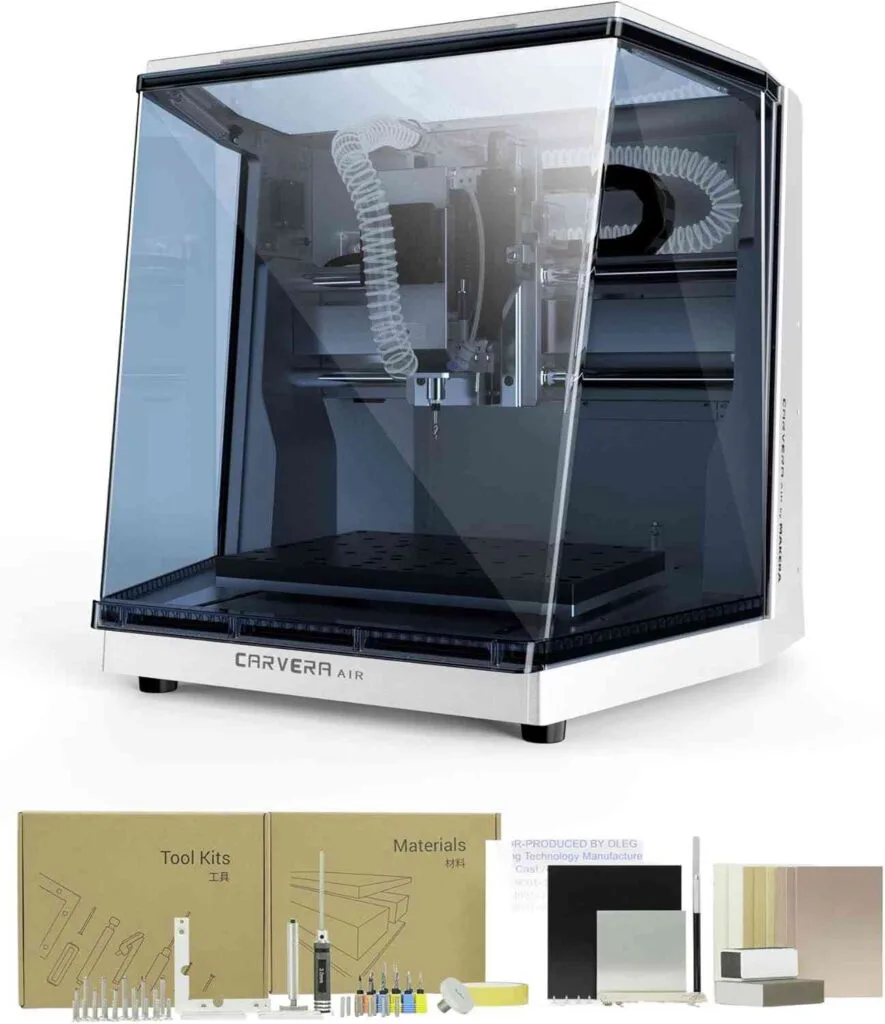
The Carvera Air by Makera is in a different class from everything else on this list. At around $2,499, it is priced at the premium end of the desktop CNC market — but it brings a combination of features that no other machine at this price level matches: a fully enclosed all-metal chassis, a Quick Tool Changer, closed-loop stepper motors, auto probing and leveling, optional 4th axis simultaneous machining, and Makera's own CAM software that integrates seamlessly with the machine. If the other machines on this list are capable tools, the Carvera Air is a system.
Key Specifications
- Work area: 300 × 200 × 130 mm (3-axis); 4th axis supports materials up to 92mm diameter × 200mm length
- Frame: Die-cast aluminum — fully enclosed
- Drive system: 20mm linear rods and ball screws
- Spindle: 200W with closed-loop control
- Accuracy: ±0.02 mm repeatability with closed-loop stepper motors
- Quick Tool Changer: Yes — lever-based, no wrenches needed
- Auto probing and leveling: Yes — automatic tool length sensing and surface detection
- 4th axis: Optional module (simultaneous machining, not just indexing)
- Laser module: Optional 5W diode laser module
- Software: Makera CAM (included) + compatible with Fusion 360, VCarve
- Control: PC (Windows/Mac/Linux), tablet, or smartphone over WiFi
- Weight: ~30 kg / 66 lbs
- Noise level: ~50–65 dB enclosed
Real-World Performance
The Carvera Air's closed-loop stepper motor system is the technical highlight that separates it from every other machine on this list. Unlike standard open-loop stepper motors (which assume the motor reached its commanded position), closed-loop motors continuously verify their actual position and correct in real time. The result is ±0.02 mm repeatability even during long, complex multi-hour jobs — a level of accuracy that matters enormously when machining tight-tolerance parts in aluminum or doing detailed 3D relief carving.
The Quick Tool Changer is a genuine workflow improvement. Switching tools takes seconds with a lever mechanism, no wrenches, no manual tightening. Combined with auto tool length probing that measures each tool automatically, multi-tool jobs — say, a roughing pass followed by a finish pass with a ball nose bit — run with minimal manual intervention between operations.
The fully enclosed chassis contains chips and dust, reduces noise to approximately 50–65 dB (comparable to a normal conversation), and makes the machine viable in a home office, apartment workshop, or studio environment. This is one of very few desktop CNCs that is genuinely comfortable to run in a living or working space without dedicated dust collection infrastructure.
In testing across wood, plastics, and aluminum, reviewers consistently describe the Carvera Air as delivering professional-grade surface finishes and accurate dimensions on the first try, once the initial calibration is dialed in. Makera Controller software — available on PC, tablet, or smartphone — is described as significantly more intuitive than most CNC controller software, helping beginners reach productive first cuts within two hours in benchmarks against other machines.
For PCB manufacturing specifically, the Carvera Air's combination of auto-leveling, closed-loop accuracy, and quick tool changing makes it one of the best desktop PCB mills available — the machine can produce double-sided boards at home without chemical etching.
What It Can't Do
The 30 kg weight and $2,499 price point are real barriers. This is an investment, and it needs to be justified by the volume and value of work you're producing. The learning curve for CNC machining generally is significant, and while the Carvera Air's software helps, there is no shortcut to understanding feeds, speeds, workholding, and toolpath strategy. Some users have noted that the external dust collection (for the Air model) is less convenient than the full Carvera's integrated system. The 200W spindle, while precise, is not a high-power production spindle — for aggressive bulk material removal on large workpieces, industrial machines are still necessary.
Verdict
The Carvera Air is the right investment for serious hobbyists, prototyping engineers, small-batch product makers, and PCB designers who need professional accuracy in a desktop footprint and are willing to pay for it. If you're regularly machining aluminum parts, producing tight-tolerance prototypes, or building a micro-manufacturing operation at home, no other machine on this list competes with its closed-loop accuracy, tool changing, and enclosure. If your budget is limited or your projects are primarily in wood, one of the machines above will serve you better.
Comparison: All 5 CNC Machines Side by Side
| Machine | Type | Work Area | Spindle / Laser | Accuracy | Best For | Price (approx.) |
|---|---|---|---|---|---|---|
| LaserPecker LP2 | Galvo Laser Engraver | 100×100mm (up to 100×2000mm w/ roller) |
5W 450nm Diode | 0.05 mm | Portable engraving, custom gifts, tumblers, craft fairs | ~$700–$900 |
| Genmitsu Cubiko | Enclosed Desktop CNC Router | 150×110×40mm | 75W Spindle | ±0.1 mm | Beginners, PCB milling, small engravings, apartments | ~$199–$299 |
| Twotrees TTC450 Pro | Open-Frame CNC Router | 460×460×80mm | 76W stock / 500W upgrade | ±0.1 mm | Woodworking, signs, large panels, upgrading from entry-level | ~$549–$800 |
| LUNYEE 3020 Nova | All-Metal Desktop CNC Router | 300×200mm | 800W Trim Router | ±0.05 mm | Metal cutting, aluminum, brass, high-precision parts | ~$500–$650 |
| Carvera Air | Enclosed Premium Desktop CNC Mill | 300×200×130mm (+4th axis option) |
200W Closed-Loop | ±0.02 mm | PCBs, aluminum parts, prototyping, serious makers | ~$2,099–$2,499 |
Which CNC Machine Should You Buy?
The right machine depends entirely on what you're making and where you're making it.
If you sell personalized products — engraved tumblers, leather goods, wooden keychains, custom gifts — and you need speed or portability, the LaserPecker LP2 is built for exactly that workflow. It's the only machine here you can take to a craft fair in a backpack.
If you're a complete beginner, working in a shared space or apartment, and want to learn CNC without a steep setup process, start with the Genmitsu Cubiko. Nothing else on this list is as truly plug-and-play, and the enclosed design makes it genuinely safe for indoor use.
If woodworking is your primary focus — signs, carved panels, furniture components — and you need a large working area, the Twotrees TTC450 Pro with the 500W spindle upgrade gives you the most cutting area per dollar of any machine here. Budget for the spindle upgrade from day one.
If you're working with aluminum, brass, or any material that demands real precision and rigidity, the LUNYEE 3020 Nova is the standout choice. Its ball screw and HG-15 linear rail system is industrial-grade hardware in a desktop footprint, and the 800W spindle handles metal confidently at a price point that's hard to beat.
If you're running a micro-manufacturing operation, prototyping precision parts, making PCBs at home, or simply want the most capable, accurate, and feature-complete desktop CNC machine money can buy at this scale, the Carvera Air justifies its price. Closed-loop accuracy, quick tool changing, full enclosure, and 4th axis capability make it a genuine professional tool.
Frequently Asked Questions
What's the difference between a CNC router and a laser engraver?
A CNC router uses a physical spinning bit to cut and carve material, removing material mechanically. A laser engraver uses a focused beam of light to burn, mark, or vaporize material. CNC routers can cut deeper and handle a wider range of materials including thick wood and metal. Laser engravers are generally faster for surface marking and can achieve extremely fine detail. Many machines (including several on this list) support both modes through add-on modules.
Can these machines cut metal?
It depends on the machine and the metal. The LUNYEE 3020 Nova and Carvera Air are the best-equipped for metal work on this list, handling aluminum and brass reliably with proper settings. The TTC450 Pro can work with thin, soft aluminum at conservative feed rates. The Cubiko can do very light metal passes. The LaserPecker LP2 can engrave coated or anodized metals but cannot cut metal. None of these machines are designed for steel machining beyond very light, careful passes.
Do I need to know G-code to use these machines?
Not necessarily. Machines like the Carvera Air (Makera CAM software), Genmitsu Cubiko (Genmitsu App + Easel), and LaserPecker LP2 (LaserPecker Design Space) all have software workflows that generate G-code automatically from your designs. You design the project visually, the software handles the code. That said, understanding the basics of feeds, speeds, and toolpath strategy will always help you get better results regardless of which machine you use.
What software do I need?
This varies by machine. For design, tools like Easel (web-based, beginner-friendly), Fusion 360 (powerful, free for personal use), VCarve, and Carveco are popular options. For machine control, GRBL-compatible machines work with Candle, UGS, or the manufacturer's own app. The Carvera Air uses Makera CAM and Carvera Controller. The LaserPecker LP2 uses LaserPecker Design Space. When evaluating a machine, always check that its software ecosystem fits your comfort level and existing workflow.
Is a CNC machine a good investment for a small business?
Yes — if your work involves repeatable production or precision that manual methods can't achieve. A CNC machine lets you take on jobs you'd otherwise have to outsource, produce consistent results at scale, and offer customization that hand work can't match. The key is matching the machine to the actual work you plan to do. Buying more machine than you need is wasteful; buying less than you need limits your business. Use this guide to pick the right tier for where your business is right now, knowing that you can upgrade as you grow.
Top Picks for CNC Router Tooling
Professional-grade carbide tools ready to ship. Click any product to view details and pricing.
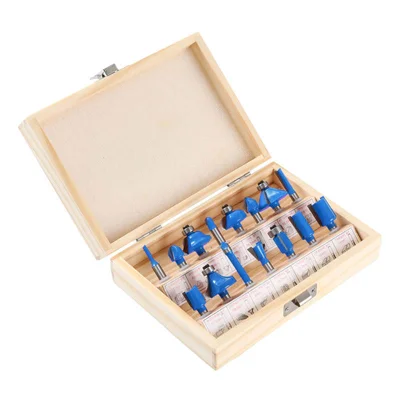
15-Piece Router Bit Set
Multi-size starter kit with carrying case
View on Alibaba →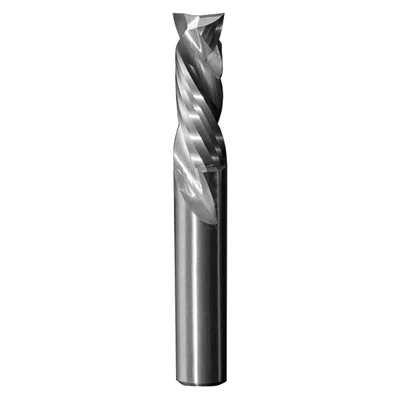
Compression Spiral Bits
Clean edges on plywood & MDF
View on Alibaba →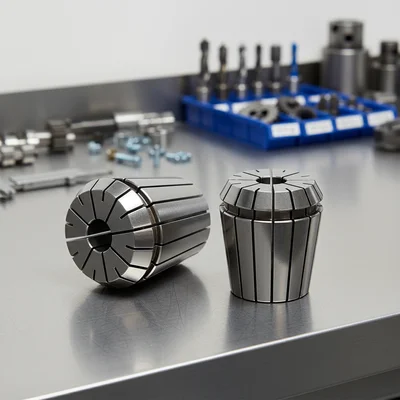
ER Collet Set
Precision holding, zero runout
View on Alibaba →As an Alibaba affiliate partner, we earn from qualifying purchases at no cost to you.