CNC Machine
5 Best CNC Laser Cutters & Engravers in 2026: In-Depth Reviews
Compare the 5 best CNC laser cutters and engravers in the current equipment market. From beginner 10W machines to enclosed 40W pro models — find the right laser for your budget.If you're looking for a laser cutter or engraver to start a small business, grow a side hustle, or simply take your home workshop to the next level, the market has never had more compelling options. Today's desktop diode laser machines deliver speed, precision, and material versatility that were unimaginable at these price points just a few years ago.
We've selected five of the best CNC laser cutters and engravers currently available from equipment suppliers, ranging from a capable open-frame machine under $500 to a fully enclosed premium system for serious production work. Each machine has been researched using real-world reviews, hands-on testing data, and verified specs so you know exactly what you're buying before you spend a dollar.
What to Look for in a CNC Laser Engraver
Before diving into the machines, a few fundamentals are worth understanding. Laser power output in watts is the single most important spec — it determines how fast you can cut, how thick a material you can cut through in one pass, and which materials are accessible to you at all. Work area defines the maximum size of your projects. Enclosure matters enormously if you're working indoors, around family, or in a shared space, since it contains fumes, reduces noise, and eliminates the need for safety goggles. Software compatibility — whether the machine works with LightBurn, xTool Creative Space, LaserGRBL, or others — affects how quickly you get productive results. And finally, safety features like flame sensors, tilt detection, and emergency stop buttons are non-negotiable for any machine running in a home or small business environment.
The 5 Best CNC Laser Cutters & Engravers
1. xTool D1 Pro 20W — Best Open-Frame Laser Engraver Under $1,000
Product reference: View the current manufacturer and retail information on Amazon ↗. Specifications and availability may change; verify them before making a technical decision.
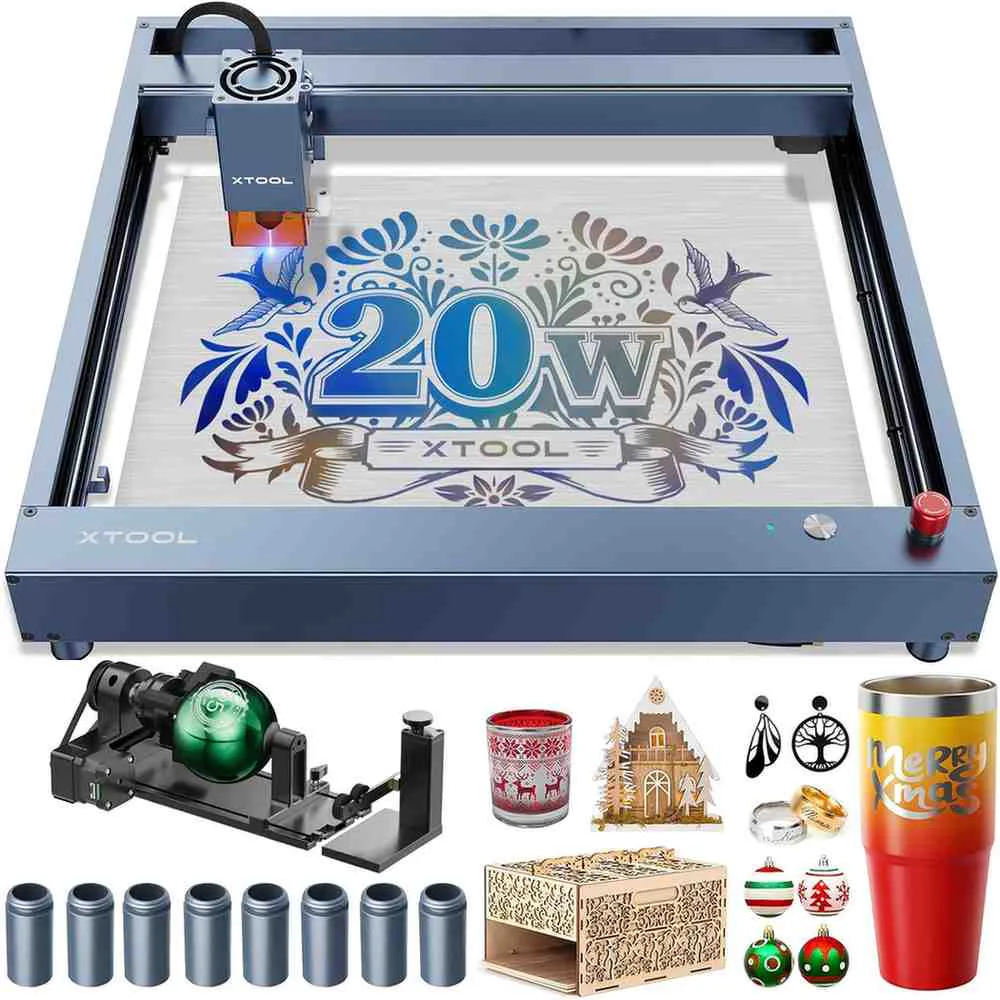
What Makes It Different
The xTool D1 Pro 20W sits at the top of the open-frame diode laser market for good reason. It combines a genuinely powerful 20W quad-diode laser module with high-quality aluminum construction, steel rollers on all axes, and a large 430 × 390 mm work area — all at a price point that undercuts many competitors with inferior specs. Among reviewers and working makers, it's consistently rated as the benchmark open-frame machine against which everything else in its class is measured.
Key Specifications
- Laser output: 20W (four 5W diodes combined)
- Machine power: 120W total electrical power
- Work area: 430 × 390 mm (16.93 × 15.35 inches)
- Max engraving speed: 400 mm/s (24,000 mm/min)
- Laser spot: 0.08 × 0.10 mm
- Connectivity: USB / WiFi / TF card
- Software: xTool Creative Space (XCS) + LightBurn compatible
- Safety: Flame sensor, tilt sensor, X&Y axis limit switches
- Frame: Aluminum construction with steel rollers
- Laser class: Class 4
Real-World Performance
The 20W module is where the D1 Pro earns its reputation. Four 5W diodes are combined into a single focused beam, delivering cutting power comparable to early CO2 machines at a fraction of the cost. In real-world testing, it cuts 10mm basswood and 8mm black acrylic in a single pass — results that were impossible on diode machines just a few years ago. Engraving speed at 400 mm/s means batch jobs that would take hours on a 10W machine are completed in under an hour, which matters enormously for anyone fulfilling product orders.
The steel roller system on all axes is a meaningful build quality advantage over competitors that use plastic rollers. Steel rollers maintain consistent tension and alignment at high speeds, which translates directly to more accurate engraving — particularly noticeable on fine portrait work and small text. The xTool D1 Pro's frame uses high-quality aluminum extrusion that keeps the machine square and rigid over time.
Software is another area where the D1 Pro stands out. It works natively with both xTool Creative Space (XCS) — which includes over 1,000 project templates and AI-assisted design tools — and with LightBurn, the professional-grade laser control software that experienced users prefer for its advanced parameter control. Having both options makes the D1 Pro equally accessible to complete beginners and experienced operators.
The flame sensor and tilt sensor are active safety systems that automatically stop the laser if the machine detects fire or movement — essential features for any machine running in a home environment, and not always present on competing machines at this price.
What It Can't Do
As an open-frame machine, the D1 Pro requires a separate enclosure for fully contained indoor operation — without one, fumes and laser light are not contained. The enclosure is sold separately and adds to the total cost. Clear acrylic cannot be cut because the 455nm blue diode wavelength passes through transparent materials. The machine also lacks a camera positioning system, which means precise alignment of designs on pre-existing workpieces requires manual measurement rather than visual placement. Air assist — which significantly improves cut quality and reduces smoke staining — is also sold separately, though most experienced users consider it essential.
Who It's For
The xTool D1 Pro 20W is the right machine for makers who are serious about laser engraving and cutting as a business or dedicated hobby, want an open-frame machine with maximum flexibility, and are comfortable adding an enclosure and air assist as part of their setup. It's particularly well suited to wood engraving, acrylic cutting, leather work, and custom gift production at volume.
Pros and Cons
Pros: Genuinely powerful 20W output, steel roller system for accuracy, works with LightBurn, fast 400 mm/s speed, good software ecosystem and tutorial library, flame and tilt safety sensors
Cons: Open frame requires separate enclosure, no camera positioning, air assist sold separately, cannot cut clear acrylic
2. xTool S1 40W — Best Enclosed Laser Cutter for Small Businesses
Product reference: View the current manufacturer and retail information on Amazon ↗. Specifications and availability may change; verify them before making a technical decision.
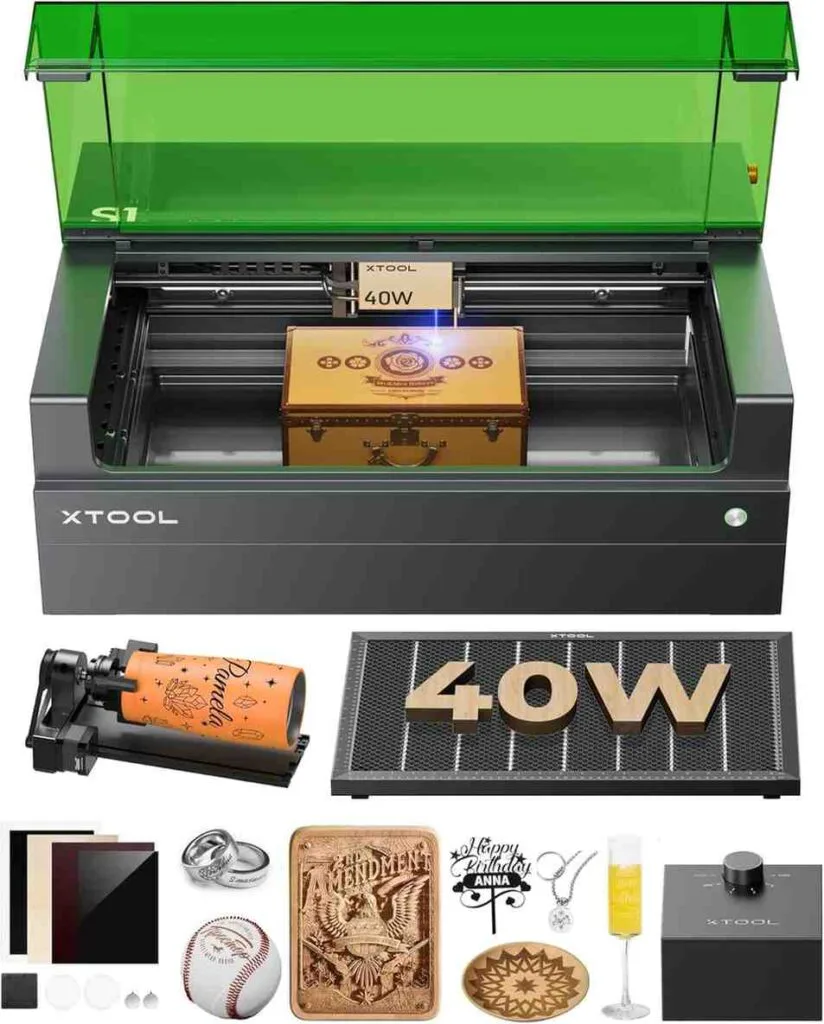
What Makes It Different
The xTool S1 40W represents a generational leap in what a desktop diode laser engraver can be. Where most machines in this category are open-frame systems requiring additional enclosures, safety glasses, and manual setups, the S1 arrives as a fully self-contained, Class 1 safety-certified enclosed machine. It filters 99% of laser light through its integrated cover, which means no goggles required, no visible laser exposure, and no hesitation about running it near family, pets, or coworkers. Combined with 40W of diode power and 600 mm/s speed, it's the closest thing to a professional CO2 laser experience at a desktop price.
Key Specifications
- Laser output: 40W (eight 5.5W diodes combined)
- Bed size: 23.93 × 15.16 inches (608 × 385 mm)
- Work area: 19.6 × 12.5 inches (498 × 319 mm)
- Max engraving speed: 600 mm/s
- Auto-focus: Yes — needle probe system, works on curved surfaces
- Connectivity: USB / WiFi
- Software: xTool Creative Space (XCS) + LightBurn compatible
- Safety: Class 1 certified enclosure, 5 flame sensors, lid-open stop, tilt stop, emergency stop button
- Interchangeable laser modules: 40W / 20W / 2W IR (sold separately)
- Laser class: Class 1 (enclosed) / Class 4 (open)
- Compatible accessories: Rotary RA2 Pro, conveyor feeder (up to 118" / 3,000mm), riser base
Real-World Performance
The 40W diode module is a genuine cutting powerhouse. In one pass, it cuts through 18mm cherry wood and 15mm dark opaque acrylic — capabilities that rival much more expensive CO2 laser systems. At 600 mm/s speed, throughput for engraving jobs is dramatically faster than 10W or 20W machines, which has a direct impact on how many orders you can fulfill per day.
The auto-focus system uses a physical probe to measure the exact surface height of your material, then automatically adjusts the Z-axis to achieve perfect focus distance. This extends to curved surface engraving — the S1 can dynamically adjust focus across the profile of a curved object like a spoon, bowl, or cylindrical surface, producing sharp results on shapes that would be impossible to handle on a fixed-focus laser.
The Pin-point Positioning system compensates for the absence of an internal camera by providing precise twin-point or circular positioning modes that accurately locate your design on irregular objects. While it's not as instant as a camera-based system, reviewers consistently report it delivers accurate, repeatable placement once the workflow is learned.
The Class 1 enclosure is more than a safety feature — it's a practical business asset. It means the S1 can be operated in a home office, apartment, retail studio, or shared workshop without worrying about laser exposure to anyone nearby. The integrated ventilation channel directs fumes through a rear port that connects to a window hose or optional smoke purifier. Five flame sensors actively monitor the work area and shut down the machine if fire is detected.
The modular laser head system is a long-term value proposition: you can swap the 40W head for a 20W module for finer engraving detail, or install the optional 2W 1064nm infrared module for direct metal engraving on bare stainless steel, gold, silver, and aluminum without requiring marking spray.
The AutoPassthrough feature, used with the optional conveyor feeder, extends the working length to 3,000mm — enabling continuous production of door signs, long banners, and sequential engraving of multiple blanks without repositioning.
What It Can't Do
The S1 does not have an integrated camera — design alignment relies on the manual positioning system rather than visual overlay on a camera feed. This is the most common limitation noted by reviewers and is a meaningful difference compared to CO2 machines like the xTool P2. Clear acrylic still cannot be cut (a property of diode wavelength, not the machine itself). The machine is large and heavy — not portable in any practical sense — and accessories like the rotary, conveyor feeder, riser base, and smoke purifier are all sold separately, which adds significantly to the total investment.
Who It's For
The xTool S1 40W is the right machine for small business owners, Etsy sellers, custom gift makers, and serious hobbyists who need a safe, powerful, fast enclosed laser that can run in a home or studio environment without requiring a dedicated ventilation system or PPE. It's the machine to choose when you're ready to treat laser engraving as a real business tool rather than a hobby experiment.
Pros and Cons
Pros: Class 1 safety — no goggles needed, 40W powerful cutting, 600 mm/s speed, auto-focus and curved surface engraving, interchangeable laser modules, AutoPassthrough up to 118 inches, excellent software and tutorial ecosystem
Cons: No integrated camera, accessories sold separately add cost, cannot cut clear acrylic, large footprint, significant total investment when fully equipped
3. ATOMSTACK X30 PRO 33W — Best High-Power Open-Frame Laser for Thick Cutting
Product reference: View the current manufacturer and retail information on Amazon ↗. Specifications and availability may change; verify them before making a technical decision.
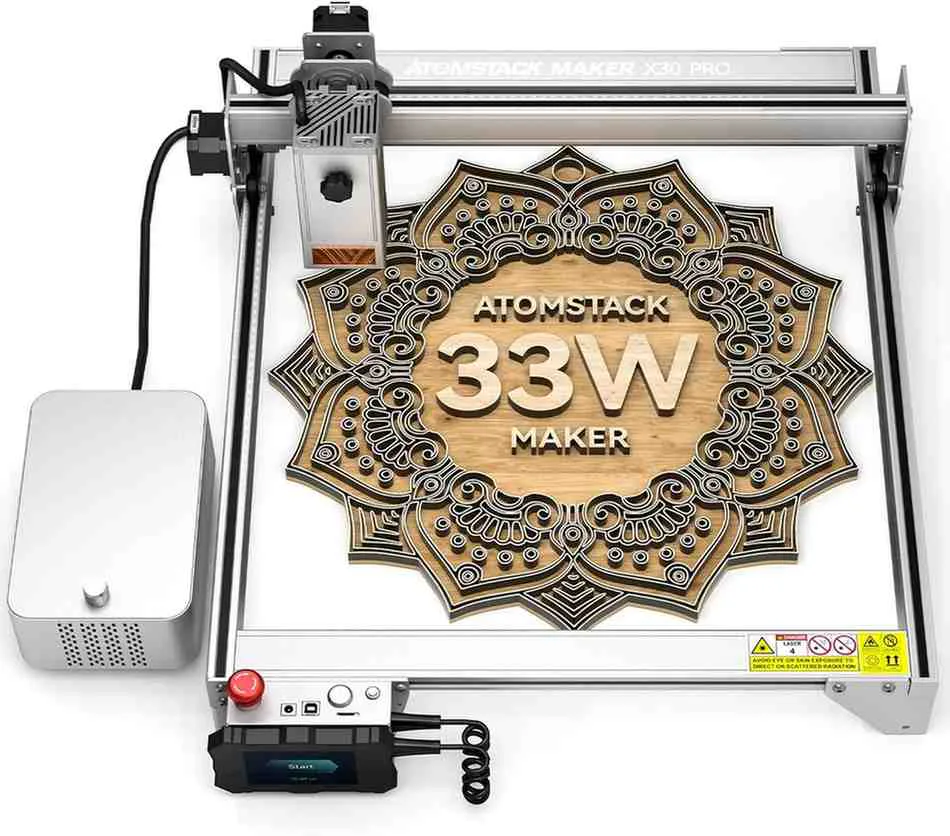
What Makes It Different
The ATOMSTACK X30 PRO (also sold as S30 PRO and A30 PRO — same machine, different frame color) introduced the world's first 6-core 33W diode laser module to the consumer market. By combining six 6W laser diodes rather than the four-diode configurations used by most competitors, the X30 PRO achieves cutting power that surpasses standard 20W machines by a significant margin: 50% faster cutting speed and 25% greater cutting depth versus 20W, and 200% faster and 150% deeper versus 10W machines. For makers who regularly cut thick wood and want maximum throughput, this is the machine to evaluate.
Key Specifications
- Laser output: 33W (six 6W diodes combined)
- Machine power: 160W total electrical power
- Work area: 410 × 400 mm
- Laser spot: 0.08 × 0.1 mm
- Engraving precision: 0.01 mm
- Motherboard: 32-bit with 256-level grayscale
- Air assist: F30 Pro dual-pump system included
- Offline control: Terminal control panel included (SD card / USB)
- Software: LaserGRBL + LightBurn (Windows / Mac)
- File formats: NC, BMP, JPG, PNG, DXF
- Connectivity: USB + TF card
- Safety: Panoramic filter glass shield (97% UV filtration), emergency stop button
- Laser class: Class 4
Real-World Performance
The 33W 6-core module's real-world cutting performance is genuinely impressive. It cuts 18–20mm paulownia board and 10mm black acrylic in a single pass — and with multiple passes, handles 25mm solid wood and 30mm black acrylic. It can even cut 0.1mm stainless steel sheet, which is beyond the capability of most diode lasers at any price. It also engraves directly on mirror stainless steel, ceramics, and opaque glass without requiring marking spray.
The upgraded 32-bit motherboard with 256-level grayscale support is a notable engraving quality improvement over earlier Atomstack models. More grayscale levels mean smoother gradients in photographic engravings and more faithful reproduction of fine detail — visible in portrait engravings and gradient shading where lower bit-depth machines produce banding.
The F30 Pro air assist kit, included in the bundle, delivers 30–60 L/min of airflow with a dual-pump design. Automatic air assist control via LightBurn's M8 command means the pump turns on automatically during cutting and off during engraving passes, without requiring manual switching. This is a workflow convenience that adds up significantly over a full day of production.
The offline terminal controller allows the machine to run jobs directly from a TF card without a connected computer — useful for workshops where you don't want a laptop tied up at the machine, or for running longer jobs overnight. The panoramic filtered glass shield filters 97% of UV light, allowing you and people nearby to observe the engraving process without goggles — a genuine quality-of-life feature on an otherwise open-frame machine.
In comparison testing against the Sculpfun S30 Pro Max (also a 33W 6-core machine), the X30 PRO performs comparably on most metrics, with differences in accessory bundling and frame color being the most notable distinctions.
What It Can't Do
The X30 PRO is an open-frame machine — it does not contain fumes or laser light. Proper ventilation and safety practices are required for all operation. It does not have an auto-focus system, so focus must be set manually for each material thickness. There is no WiFi connectivity — control is via USB or TF card only, which limits remote operation. The ATOMSTACK app is available but provides a more basic experience than xTool's XCS ecosystem.
Who It's For
The X30 PRO is the right choice for makers who need maximum cutting power in an open-frame machine, regularly work with thick wood and acrylic, and want a well-equipped bundle at a strong value price point. It's well suited to sign shops, wood product makers, and anyone running high-volume cutting production where raw power and throughput matter more than enclosure convenience.
Pros and Cons
Pros: Industry-leading 33W 6-core diode power, cuts 20mm wood in one pass, 256-level grayscale for fine engraving, F30 Pro air assist included, offline controller included, LightBurn compatible, direct engraving on stainless steel
Cons: Open frame — no fume or light containment, no auto-focus, no WiFi, ATOMSTACK app ecosystem less developed than xTool's
4. Ortur Laser Master 3 10W — Best Value Open-Frame Laser for Beginners
Product reference: View the current manufacturer and retail information on Amazon ↗. Specifications and availability may change; verify them before making a technical decision.
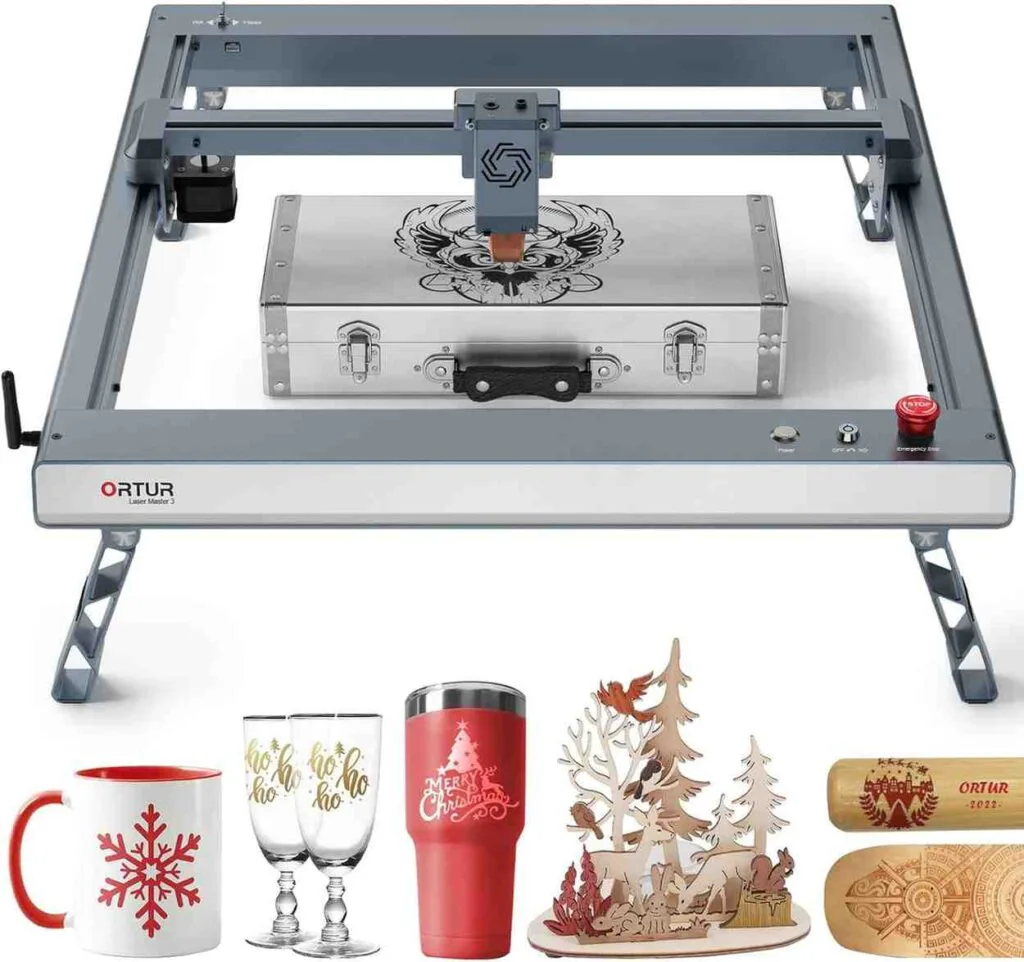
What Makes It Different
The Ortur Laser Master 3 is one of the most refined open-frame 10W diode laser engravers on the market, and it benefits from Ortur being a company that builds laser engravers exclusively — unlike some competitors who produce a wide range of unrelated products. The OLM3's design philosophy is visible from the moment you unbox it: minimalist, low-profile, clean wiring, and a thoughtful feature set that includes seven distinct safety systems — more safety provisions than most machines at twice the price.
Key Specifications
- Laser output: 10W (dual-compression diode technology)
- Work area: 400 × 400 mm (15.75 × 15.75 inches)
- Max engraving speed: 20,000 mm/min
- Laser spot: 0.05 × 0.1 mm
- Connectivity: USB / WiFi / TF card / Bluetooth app
- Software: LaserGRBL / LightBurn / Ortur Laser Explorer app (iOS & Android)
- Safety: Security lock (key), active position protection, tilt protection, exposure duration limit, voltage/current control, host computer watchdog, emergency stop button
- Frame: All-metal aluminum alloy
- Foldable feet: Available as variant — raises machine height for thicker materials
- Laser class: Class 4
Real-World Performance
The OLM3's 10W module uses dual-compression diode technology to achieve a 0.05 × 0.1 mm laser spot — exceptionally fine for a 10W machine. This small spot size delivers high energy density that punches above its wattage class in engraving detail, particularly noticeable in portrait engraving where fine gradients and small text are reproduced with impressive clarity.
At 20,000 mm/min, the OLM3 is notably fast for a 10W machine. This speed advantage comes from the low-profile frame design that reduces the moving mass of the gantry, allowing higher acceleration without sacrificing accuracy. Ortur's custom aluminum alloy frame parts lock precisely into place during assembly, ensuring the machine remains square — a detail that affects engraving quality throughout the machine's lifespan.
The seven safety systems are a genuine differentiator. The security lock requires a physical key to activate the laser — meaningful for households with children or shared workspaces. Active position protection monitors the laser module's position in real time and stops the machine if unexpected movement is detected. Exposure duration detection automatically stops the laser if it holds position without moving for longer than a set period, preventing material fires from a paused job. These systems collectively make the OLM3 one of the safest open-frame laser engravers available.
WiFi connectivity and the Ortur Laser Explorer app (iOS and Android) allow the machine to be controlled wirelessly from a tablet or phone, which is convenient for running batch jobs without a computer physically present at the machine. The app provides an automatic operation guide that is genuinely useful for first-time users.
The OLM3 can cut 12–15mm plywood and 12mm black acrylic in one pass at full power, and 30mm black acrylic in multiple passes. For engraving on coated metal business cards, anodized aluminum, and painted ceramics, it delivers clean, professional results. A 20W module upgrade is available for purchase if you later need more cutting power.
What It Can't Do
At 10W, the OLM3 is not the right machine for regularly cutting thick hardwood or dense acrylic quickly — those tasks are better served by 20W or 33W machines. Assembly, while straightforward, requires attention to detail — belt tensioning, in particular, benefits from care during setup, and some users have reported minor QC issues with individual hardware components (though Ortur's support response is generally cited positively). There is no air assist included in the base package — the air assist nozzle is built into the module, but the pump itself must be purchased separately.
Who It's For
The OLM3 is the right starting point for beginners, hobbyists, and small-scale gift and product makers who want a capable, well-built, safe laser engraver without committing to the price of a 20W or 33W machine. It's also a strong choice for anyone who prioritizes safety features and wants WiFi app control. If your work is primarily engraving — wood, leather, metal business cards, coasters, keychains — rather than heavy cutting, the OLM3 handles it all with confidence.
Pros and Cons
Pros: Seven safety systems including key lock, 0.05mm fine laser spot for detailed engraving, fast 20,000 mm/min for 10W, WiFi and app control, LightBurn compatible, all-metal frame, good support from Ortur, upgradeable to 20W module
Cons: 10W limits thick material cutting speed, no air assist pump included, assembly requires some care, no enclosure
5. SCULPFUN S30 Pro Max 20W — Best Value 20W Laser Engraver
Product reference: View the current manufacturer and retail information on Amazon ↗. Specifications and availability may change; verify them before making a technical decision.
What Makes It Different
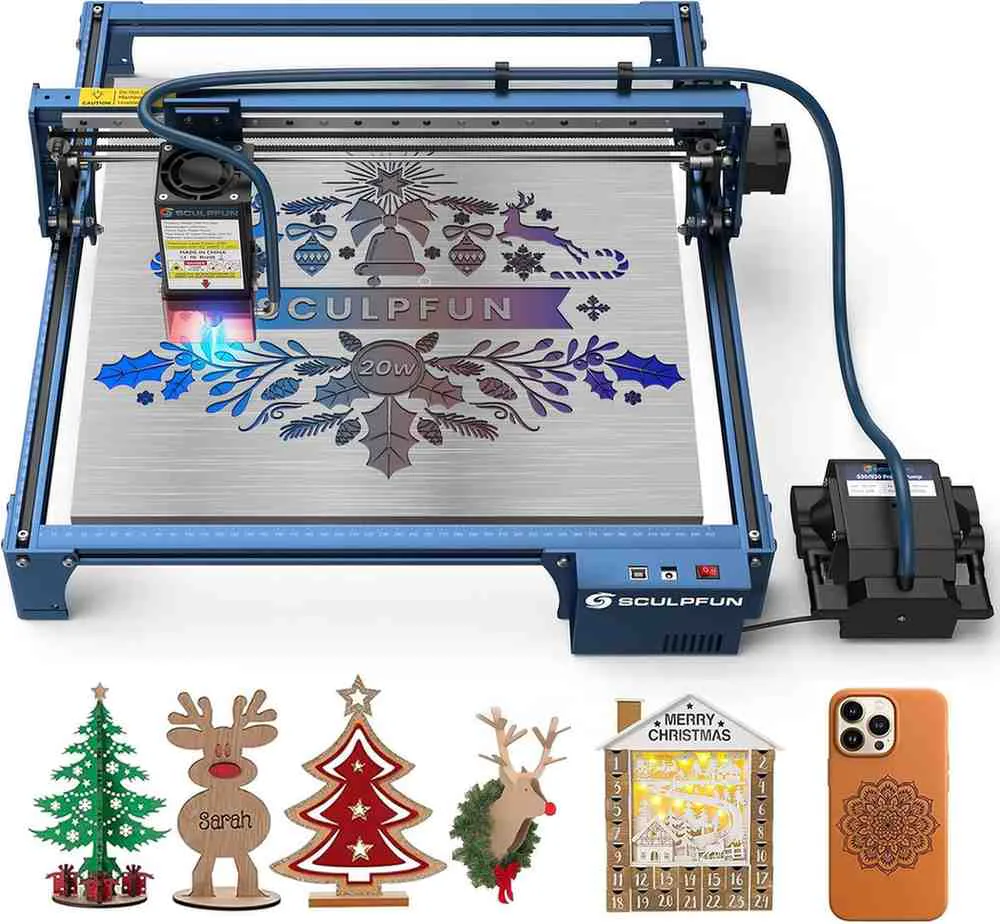
The SCULPFUN S30 Pro Max 20W competes directly with the xTool D1 Pro 20W but comes with several bundled features that xTool charges extra for — most notably the automatic air assist pump and honeycomb laser bed, which are included as standard in most S30 Pro Max listings. SCULPFUN has also engineered a replaceable protective lens system that extends the laser module's service life by over 10 times compared to standard fixed-lens designs, which is a meaningful long-term cost advantage for anyone running the machine heavily. For makers who want strong 20W performance with a more inclusive package at a competitive price, the S30 Pro Max makes a compelling case.
Key Specifications
- Laser output: 20W (four 6W diodes combined)
- Work area: 410 × 400 mm (expandable to 935 × 905 mm with extension kit)
- Max engraving speed: 25,000 mm/min
- Laser spot: 0.08 × 0.10 mm
- Engraving precision: 0.005 mm (X-axis linear slide rail)
- Motherboard: 32-bit with automatic air assist control (LightBurn M8)
- Air assist: Full automatic kit included (pump + nozzle, 30 L/min)
- Connectivity: USB / TF card / Bluetooth (SD card offline module sold separately)
- Software: LightBurn / LaserGRBL / Benbox / GrblController (Windows + Mac)
- Replaceable protective lens: Yes — standard feature, free spare lens included
- XY limit switches: Yes — supports homing function
- Laser class: Class 4
Real-World Performance
The S30 Pro Max's 20W module, assembled from four 6W diodes, delivers cutting performance comparable to the xTool D1 Pro 20W — cutting 15mm wood and 10mm black acrylic in a single pass, and even cutting 0.05mm thin metal sheet with the air assist engaged. At 25,000 mm/min top engraving speed, it's slightly faster than the D1 Pro's rated 24,000 mm/min, which compounds over long batch jobs.
The replaceable lens system is the S30 Pro Max's most distinctively practical engineering choice. On conventional laser modules, the protective lens gradually accumulates smoke residue and eventually degrades to the point where cutting and engraving performance drops noticeably. Replacing the entire module is expensive. SCULPFUN's solution is a simple tool-free lens swap — the contaminated lens slides out and a new one drops in, restoring full performance. Replacement lenses are inexpensive and widely available. For a machine running daily production, this is a long-term operating cost advantage that's easy to underestimate when comparing spec sheets.
The 32-bit motherboard with automatic air assist control is a workflow improvement that becomes apparent quickly in production use. The air pump activates automatically during cutting passes (where it's needed to clear smoke and improve cut quality) and deactivates during engraving (where it's not needed and can disturb fine detail work) — controlled via LightBurn's M8 command without any manual switching.
The XY limit switches enable a proper homing function, which means the machine can reliably return to origin after a job and maintain positional reference across sessions — important for multi-part or multi-day projects where consistent positioning matters.
The expandable work area is genuinely impressive for a machine in this price range. The standard 410 × 400 mm area is already competitive, but purchasing the Y-axis extension kit expands it to 935 × 400 mm, and the full XY extension reaches 935 × 905 mm — more than five times the standard area. This makes the S30 Pro Max a viable option for makers who need to occasionally tackle large wall art, sign blanks, or full-sheet material work without buying a separate large-format machine.
In comparison testing, the S30 Pro Max consistently performs comparably to the ATOMSTACK X30 PRO's 20W-equivalent output (the X30 is 33W but operates at different efficiency), with the S30 Pro Max edging ahead slightly on fine-detail engraving precision due to its industrial-grade linear slide rail X-axis.
What It Can't Do
Like all diode lasers, the S30 Pro Max cannot cut clear acrylic. WiFi connectivity is not built in — the machine is USB/TF card only at the base configuration, with WiFi requiring an optional offline module. There is no auto-focus system; focus is set manually. The machine is open-frame with no light or fume containment — an enclosure is needed for fully contained indoor operation. Extension kits for the expanded work area are sold separately and require additional assembly.
Who It's For
The S30 Pro Max is the right choice for makers who want strong 20W performance with a more complete out-of-the-box package — particularly the included air assist and honeycomb bed — and who value the long-term economics of a replaceable lens system. It's a strong alternative to the xTool D1 Pro for anyone who works primarily with wood and acrylic, prioritizes LightBurn compatibility, and wants the option to expand their work area significantly without replacing the machine.
Pros and Cons
Pros: Includes air assist pump and honeycomb bed in most bundles, replaceable protective lens extends machine life, 25,000 mm/min speed, expandable to 935 × 905 mm, 32-bit board with auto air assist control, industrial-grade linear slide rail X-axis, LightBurn compatible, XY limit switches for homing
Cons: No WiFi built-in, no auto-focus, open frame requires separate enclosure, clear acrylic cannot be cut, extension kits sold separately
Comparison: All 5 Machines Side by Side
| Machine | Type | Laser Power | Work Area | Max Speed | Enclosure | Best For | Price (approx.) |
|---|---|---|---|---|---|---|---|
| xTool D1 Pro 20W | Open-Frame Diode | 20W | 430×390mm | 400 mm/s | No (sold separately) | Wood cutting, acrylic, leather, batch production | ~$500–$800 |
| xTool S1 40W | Enclosed Diode (Class 1) | 40W | 498×319mm | 600 mm/s | Yes — Class 1 certified | Small business production, safe indoor use, tumblers | ~$1,200–$1,800 |
| ATOMSTACK X30 PRO | Open-Frame 6-Core Diode | 33W | 410×400mm | 600 mm/s | No | Thick wood cutting, high-volume production, sign making | ~$400–$600 |
| Ortur Laser Master 3 | Open-Frame Diode | 10W | 400×400mm | 333 mm/s | No | Beginners, engraving, coasters, gifts, safe home use | ~$250–$400 |
| SCULPFUN S30 Pro Max | Open-Frame Diode | 20W | 410×400mm (exp. to 935×905mm) |
417 mm/s | No | Value 20W buying, large-format expansion, LightBurn users | ~$350–$550 |
Which Laser Engraver Should You Buy?
The right machine depends entirely on what you're making, where you're making it, and how seriously you're treating it as a business tool.
If you're just getting started with laser engraving and want a safe, capable machine with a strong safety feature set and a low entry price, the Ortur Laser Master 3 is the most sensible starting point. Its seven safety systems, WiFi app control, and 10W precision make it a machine you can learn on seriously without outgrowing it in the first month.
If you want the best value 20W performance with the most complete out-of-the-box package — including air assist, honeycomb bed, and the long-term operating cost advantage of a replaceable lens — the SCULPFUN S30 Pro Max is the strongest pick. The expansion capability to nearly a square meter of work area is a bonus no competitor in its price range can match.
If maximum raw cutting power is the priority and you regularly work with thick wood, dense acrylic, or need to cut thin metal, the ATOMSTACK X30 PRO 33W delivers the deepest, fastest cuts of any open-frame diode machine on this list. The bundled F30 Pro air assist and offline controller add immediate practical value.
If you need a versatile open-frame 20W machine with the best software ecosystem, strongest tutorial and community support, and a proven track record as a business tool, the xTool D1 Pro 20W is the benchmark in its class and the machine that consistently earns the recommendation of experienced laser operators.
And if you're running a real business — or intend to — and need a machine that can operate safely in a home, studio, or shared workspace without goggles or a ventilation enclosure, with the fastest speed and most powerful diode output on this list, the xTool S1 40W is the investment that pays for itself in production capacity and business-grade safety.
Frequently Asked Questions
What is the difference between a diode laser and a CO2 laser?
Diode lasers use semiconductor chips to generate a blue-light laser beam, typically at 450–455nm wavelength. They are compact, affordable, and energy-efficient, but cannot cut clear acrylic or other transparent materials. CO2 lasers use a gas-filled tube to generate a 10,600nm infrared beam that cuts a wider range of materials including clear acrylic, glass, and natural fabrics. CO2 machines are generally more expensive, larger, and require more maintenance, but offer broader material compatibility. For most small business use cases involving wood, leather, opaque acrylic, and metal marking, modern high-wattage diode lasers are the more practical and cost-effective choice.
Do I need an enclosure for a laser engraver?
For Class 4 open-frame machines — the xTool D1 Pro, ATOMSTACK X30 PRO, Ortur Laser Master 3, and SCULPFUN S30 Pro Max — an enclosure is strongly recommended for any indoor use. Without one, laser light is not contained (requiring goggles at all times during operation), fumes are not directed away from the workspace, and there is no containment of any fire that might start. The xTool S1 40W is the only machine on this list with a built-in Class 1 certified enclosure, making it the only option safe to operate in a home or office without additional containment.
Can these laser engravers engrave metal?
All five machines can engrave on coated or anodized metals — painted metal business cards, anodized aluminum, and lacquered surfaces — without any preparation. The ATOMSTACK X30 PRO 33W can engrave directly on mirror stainless steel and cut 0.1mm stainless sheet. The xTool S1 40W supports an optional 2W infrared laser module for direct marking of bare metals including gold, silver, platinum, and stainless steel. For bare metal engraving on a budget, applying a metal marking spray (such as Cermark or molybdenum disulfide) to the surface before engraving with a standard diode laser produces permanent marks on most metals.
What software do these machines use?
LightBurn is the professional standard for laser engravers and is compatible with all five machines on this list. It offers the most complete set of controls for feeds, speeds, power, and layer management, and is the preferred choice for experienced users. xTool Creative Space (XCS) is xTool's own software, available free for Windows and Mac, and is particularly beginner-friendly with built-in material presets and project templates. LaserGRBL is a free, open-source option for Windows that works with all GRBL-based machines. The Ortur Laser Explorer app provides WiFi-based control directly from a smartphone for the OLM3.
How much can I make with a laser engraver business?
Profit potential varies widely by product category and production volume. Products with strong margins in the laser engraving market include personalized tumblers and drinkware, custom wooden signs, engraved leather goods, metal business cards, wedding gifts, pet memorials, and holiday ornaments. A machine like the xTool S1 40W producing 20–30 personalized tumblers per day at $25–$40 each generates $500–$1,200 in daily revenue before materials and platform fees. Most laser engraving businesses that succeed focus on a specific product niche, develop efficient production workflows, and sell through Etsy, their own website, or at local markets. The machine is the tool — the business model and marketing are what determine profitability.
Shop Ball Nose End Mills
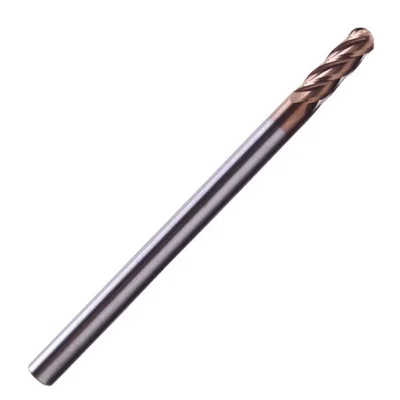
Long-shank carbide cutters for 3D contouring, die finishing, and sign carving.
Ball Nose End Mill
R0.25–R8mm, 2/4 flutes, multiple coatings
View on Alibaba →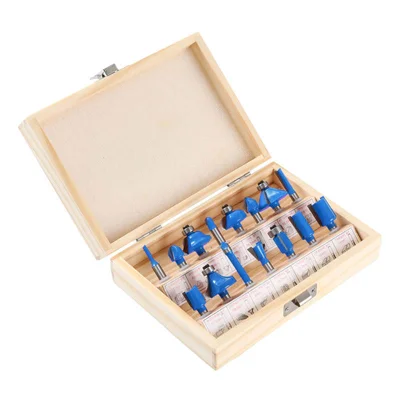
15-Piece Router Bit Set
Multi-size starter kit
View on Alibaba →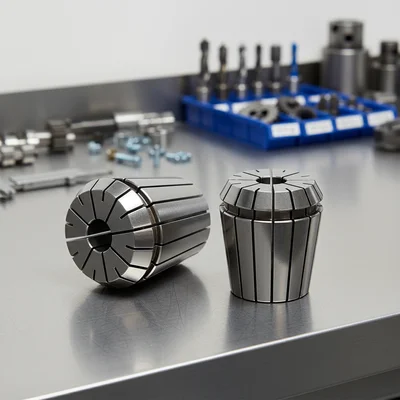
ER Collet Set
Precision tool holding
View on Alibaba →As an Alibaba affiliate partner, we earn from qualifying purchases at no cost to you.